Restaurant Inventory Checklist: Definition, Components & How To Process
A restaurant inventory checklist is an essential tool that helps restaurants systematically track and manage their ingredients, supplies, and stock levels. A restaurant inventory checklist ensures that kitchens never run out of critical items, reduces waste, and optimizes purchasing, much like how a household keeps track of groceries to avoid overbuying or running out of essentials.
Effective inventory management is critical because poorly managed stock can lead to food spoilage, revenue loss, and operational inefficiencies. According to a 2021 study by Foodservice Management Research, restaurants that implement structured inventory systems report up to 15% reduction in food waste and a 10–12% improvement in profit margins.
This article will guide readers through the definition of a restaurant inventory checklist, its essential components, and practical steps for processing inventory, helping restaurant owners and managers save money, maintain consistent menu availability, and enhance overall operational efficiency.
What Is a Restaurant Inventory Checklist?
A restaurant inventory checklist is a structured tool used by restaurant managers and kitchen staff to track, organize, and monitor all ingredients, supplies, and stock items on a regular basis. It serves as a systematic record of what is on hand, what needs to be ordered, and what is nearing expiration.
The key benefits of using a restaurant inventory checklist include:
- Food cost control: By accurately tracking stock, restaurants can prevent over-ordering, reduce spoilage, and avoid unnecessary purchases, helping to control food costs.
- Waste reduction: The checklist ensures proper rotation of ingredients (e.g., FIFO – First In, First Out) and highlights items approaching expiry, minimizing waste.
- Improved profitability and operational efficiency: Accurate inventory management ensures that kitchens are well-stocked, reduces downtime due to missing ingredients, and supports better menu planning, directly impacting revenue and operational efficiency.
A restaurant inventory checklist is a critical tool for maintaining financial control, reducing waste, and ensuring smooth daily operations.
What Should Be Included in a Restaurant Inventory Checklist?
A restaurant inventory checklist should cover all essential stock categories, the key data points you must track for each item, and the step-by-step process for managing inventory efficiently.
Inventory Checklist Categories
Inventory checklist categories describe the different groups of items a restaurant must monitor to maintain smooth operations. Here’s what should be included:
- Food and beverage: This includes all consumables used in daily service, fresh produce, dairy, meat, fish, dry goods like rice or flour, spices, alcoholic beverages, juices, and soft drinks. Keeping this category updated ensures proper meal prep, menu planning, and avoidance of stockouts.
- Serviceware: Covers all items used for dining and serving, such as plates, bowls, cutlery, glassware, trays, serving spoons, linens, napkins, and tablecloths. Monitoring these helps reduce losses from breakage or theft and ensures customer service remains seamless.
- Non-food items: Includes cleaning chemicals, sanitizers, gloves, uniforms, aprons, takeout containers, paper bags, disposable spoons, and boxes. These items are essential for hygiene, branding, and takeaway operations.
- Equipment: Consists of large appliances like ovens, grills, refrigerators, freezers, and smaller tools like knives, thermometers, mixers, and blenders. Tracking these prevents downtime due to malfunction and helps with maintenance scheduling.
- Software and hardware: Includes POS terminals, tablets used for ordering, inventory software, printers, and payment systems. This category is crucial today as digital systems directly affect billing accuracy and service speed.
Key Information to Track for Each Item
These fields ensure that every item in inventory is accurately identified, valued, and managed. Each item should include:
- Item Name/SKU: A unique identifier allows staff to quickly find, count, and reorder products without confusion.
- Storage Location: Clearly stating where each item belongs—dry storage, freezer, walk-in refrigerator, bar area—reduces search time and maintains food safety.
- Unit of Measure: Whether counted in kilograms, liters, pieces, packs, or cases, this standardization eliminates errors during stock counts.
- Quantity on Hand: The exact number of items currently available ensures ordering accuracy and prevents both shortages and overstocking.
- Par Level: The minimum quantity required for uninterrupted service. If stock falls below this level, a reorder is triggered.
- Expiration Date: Critical for perishable items to avoid spoilage and foodborne risks. Helps enforce FIFO (First In, First Out).
- Last Order Date: Helps assess usage patterns and estimate when the next order should be placed.
- Supplier Name: Simplifies communication, reordering, and resolving issues like damaged or missing products.
- Unit Price: Knowing cost per item supports budgeting and food cost calculations.
- Total Cost: Calculated as quantity × unit price, this helps determine overall inventory value and supports profit analysis.
Inventory Process Steps
These steps outline how inventory should be handled from the moment it arrives to the moment it is used or discarded.
- Receiving: Staff should inspect deliveries for freshness, expiration dates, damaged packaging, and alignment with invoices. All received stock must be recorded immediately to maintain accuracy and transparency.
- Storage: Items must be stored at appropriate temperatures (frozen, chilled, or dry). FIFO should be applied by placing older stock at the front. Labeling with dates ensures quick identification and traceability.
- Usage and Waste: Regularly track how much stock is used and document any waste along with the reason, spoilage, overproduction, or operational errors. This data helps refine menu planning and reduce costs.
- Cleaning: Storage areas, shelves, and equipment should be cleaned routinely. This not only prevents pest issues but also maintains hygiene and preserves the quality of stored food.
When used consistently, this checklist becomes a strategic tool that supports better forecasting, minimizes stock discrepancies, and ultimately strengthens your bottom line.
How Often Should You Update a Restaurant Inventory Checklist?
You should update the restaurant inventory checklist at intervals that match your restaurant’s size, menu complexity, and stock turnover. Different items require different update frequencies to maintain accuracy, prevent waste, and control food costs. Below is a detailed breakdown of how often you should review and update your restaurant inventory checklist.
Daily Updates
Daily updates are essential for high-value, fast-moving, or highly perishable items. This includes fresh produce, dairy, meat, seafood, and liquor. Reviewing these items every day helps prevent spoilage, ensures proper stock rotation, and allows you to detect theft or discrepancies immediately. Daily checks also support smooth kitchen operations by ensuring ingredients needed for the day’s menu are available.
Weekly Updates
Weekly updates work well for dry goods, cleaning supplies, beverages, and common consumables that don’t fluctuate as rapidly as perishable inventory. A weekly review helps restaurants adjust par levels, identify slow-moving stock, and maintain consistency in ordering. This schedule also helps managers spot usage trends before they become costly issues, such as over-portioning or excessive waste.
Monthly Updates
Monthly updates are ideal for items that are purchased less frequently and have longer shelf lives, such as kitchen equipment, serviceware, linens, non-food supplies, and backup stock. A monthly review helps track depreciation, plan major purchases, and verify that long-term inventory records remain accurate. This deeper audit is useful for financial reporting and budgeting.
A restaurant with a large menu or high customer turnover will need more frequent reviews than a small café with a limited selection. Seasonal fluctuations, supplier delivery schedules, and storage capacity also impact how often inventory updates should occur. The greater the variability, the more frequently the checklist must be reviewed.
What’s the Best Format for a Restaurant Inventory Sheet?
The best formats for a restaurant inventory sheet are spreadsheet-based tools, paper checklists, and POS-integrated digital systems. Each format serves different operational needs and can help restaurants streamline tracking, reduce waste, and improve accuracy.
Spreadsheet (Excel or Google Sheets)
Spreadsheets are one of the most popular formats because they offer flexibility, automation, and easy sharing. You can create formulas to auto-calculate stock value, track variances, and generate reorder alerts. Cloud-based tools like Google Sheets also enable real-time collaboration across teams (kitchen, bar, procurement).
Paper-Based Checklists
A simple and reliable option, paper checklists work well for small restaurants or teams that prefer manual methods. They’re ideal during physical stock counts, especially in busy kitchens where digital devices may be impractical. However, they require manual data entry afterward and carry a higher risk of errors and lost records.
POS-Integrated Digital Tools
Inventory systems built into your POS or connected to it offer automation and accuracy.
They track inventory in real time as sales occur, generate automatic low-stock alerts, and improve forecasting. This format is best for restaurants with high turnover, multiple suppliers, or multiple locations.
By choosing the right format, following consistent tracking practices, and reviewing inventory at smart intervals, you ensure your restaurant runs smoothly every single day, no surprises, no guesswork, just clarity and control.
How Can Inventory Software Help Restaurants Stay Organized?
Inventory software can help restaurants stay organized with automation, accurate tracking, real-time alerts, and seamless integrations that streamline every part of inventory management.
Automation
Automating inventory tasks reduces manual work, eliminates human error, and ensures consistent record-keeping. From updating stock counts to generating reorder reports, automation saves time and prevents mistakes that often lead to over-ordering or shortages.
Inventory Tracking Accuracy
Digital tools track every item with precision, whether it’s a bottle of wine, a bag of flour, or a disposable container. Accurate tracking helps restaurants maintain the right stock levels, reduce waste, and avoid discrepancies between actual and recorded inventory.
Real-Time Stock Alerts
Software provides instant notifications when stock levels drop below par, when items near expiration, or when unusual usage patterns occur. This helps managers act quickly, preventing out-of-stock scenarios and reducing spoilage.
Integrations with POS and Accounting Systems
Modern inventory software links directly with POS systems to automatically deduct ingredients as dishes are sold. It also syncs with accounting platforms for seamless cost tracking, supplier management, and financial reporting, helping maintain profitability and operational efficiency.
Ultimately, investing in the right software transforms inventory management from a stressful task into a smooth, predictable, and profitable process for any foodservice business.
How Do You Use Inventory Data to Control Food Costs?
You use inventory data to control food costs by turning raw stock numbers into actionable insights that help you reduce waste, improve purchasing decisions, and increase profitability.
Calculate food cost percentage
Start by using the standard formula: Food Cost % = (Cost of Goods Sold ÷ Total Food Sales) × 100. Reviewing this weekly or monthly helps you spot rising ingredient costs, portion inconsistencies, or menu items that are no longer profitable. A consistently high food cost percentage is often the first warning sign of operational inefficiencies.
Use past data to forecast ordering
Inventory history reveals consumption patterns, like what sells fast, what moves slowly, and what items tend to spike on weekends or during events. By studying these patterns, you can forecast exactly how much to order, preventing both overstocking (leading to spoilage) and understocking (leading to lost sales). This ensures more accurate par levels and tighter budget control.
Identify high-waste or high-cost items
Analyzing variance between theoretical and actual inventory uncovers items with excessive waste, theft, or over-portioning. Similarly, spotting high-cost ingredients that significantly impact your total food spend helps you decide whether to adjust the recipe, change the supplier, or remove the item from your menu. Tracking waste logs further reveals recurring issues like expired produce or mishandled items.
With disciplined usage and regular review, inventory data becomes a strategic tool that supports smarter purchasing, reduced waste, and stronger profitability.
How To Download a Free Restaurant Inventory Checklist Template?
To download a free restaurant inventory checklist template, you can follow a simple process that ensures you get a ready-to-use, customizable file for your restaurant’s needs.
- Visit a trusted provider’s link where the template is available in formats like Google Sheets, Excel, or PDF.
- Click the “Download,” “Make a Copy,” or “Save As” button depending on the file type (e.g., Google Sheets will ask you to make a copy to your Drive).
- Optionally sign up with your email if the platform requires it for access. Mny free downloadable resources use email capture for unlocking templates.
- Customize the template by adding your restaurant’s categories, units of measure, par levels, and supplier info so it matches your operational workflow.
This gives you a ready structure and saves time compared to building an inventory sheet from scratch.
How Do Top Restaurants Manage Their Inventory Efficiently?
Top restaurants manage their inventory efficiently by using structured systems, technology, and disciplined routines, all designed to minimize waste, control food costs, and maintain seamless kitchen operations.
Use Real-Time Digital Inventory Systems
Top-performing restaurants rely heavily on digital inventory software that updates stock levels in real time. These tools connect with POS systems, automatically deduct ingredients after each sale, and send alerts when items reach par levels. This drastically reduces human error, prevents stockouts, and ensures ordering decisions are always based on accurate data.
Follow Strict Inventory Cycles (Daily, Weekly, Monthly)
Successful restaurants never take inventory “when they remember.” They follow a fixed cycle—daily counts for perishables, weekly counts for core ingredients, and monthly full inventory audits. This routine helps them track trends, spot shrinkage early, and prevent issues like spoilage, overordering, or theft.
Train Staff to Follow Standardized Procedures
Efficiency comes from consistency. Top restaurants train staff on how to weigh, count, label, and store items correctly. Everyone follows the same measurement units, naming conventions, and storage rules. This eliminates confusion, speeds up inventory sessions, and ensures data accuracy is maintained across all shifts.
Apply FIFO and FEFO Stock Rotation Techniques
High-performing kitchens strictly enforce First-In, First-Out (FIFO) and First-Expired, First-Out (FEFO) methods. Older stock is always used before newer batches, and items nearing expiration are prioritized. This prevents spoilage, reduces food waste, and ensures freshness in every dish served.
Analyze Inventory Reports to Guide Business Decisions
Top restaurants use the data. They review consumption patterns, calculate food cost percentages, identify fast-moving and slow-moving ingredients, and adjust menu items or pricing accordingly. This data-driven approach directly boosts profitability and tightens cost control.
By implementing structured inventory checklists, leveraging inventory software, and learning from top-performing restaurants, managers can maintain optimal stock levels, improve profitability, and enhance overall operational efficiency.
How do you organize inventory in a small restaurant?
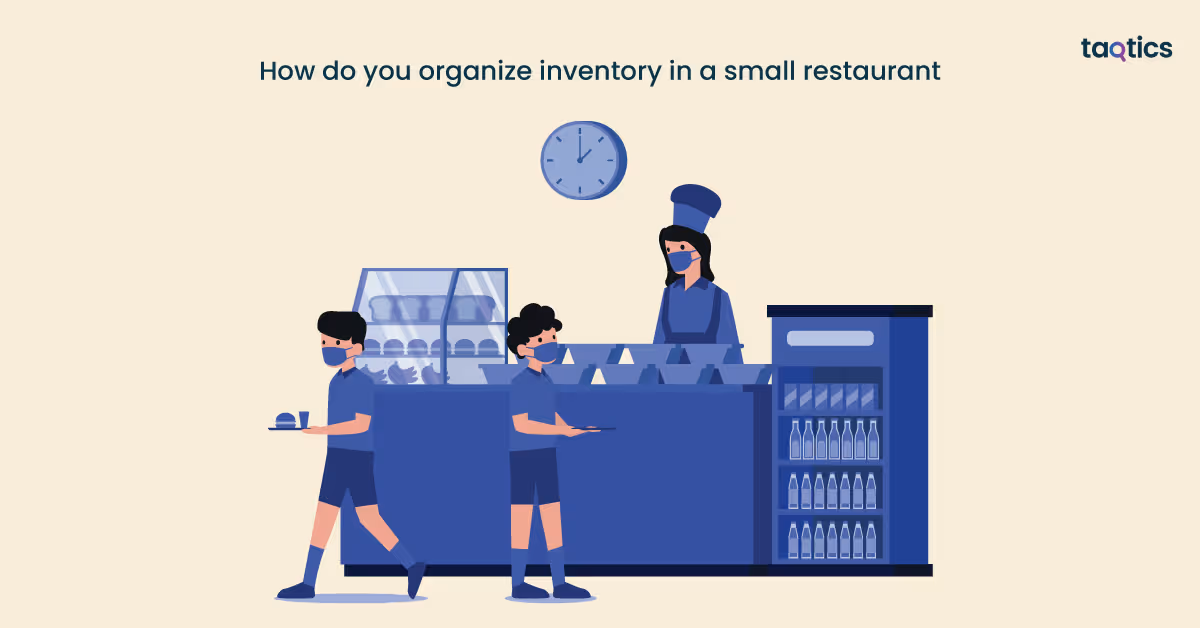
You organize inventory in a small restaurant by implementing systematic processes that maximize space, reduce waste, and ensure smooth operations despite limited storage.
- Categorize items: Group inventory into perishables (fresh produce, meat, dairy), dry goods (flour, rice, canned items), beverages, non-food items (cleaning supplies, packaging), and equipment. This makes tracking and locating items easier.
- Designate storage areas: Assign specific shelves, bins, or coolers for each category. Keep frequently used items within easy reach and store less-used items in secondary locations.
- Label and date items: Clearly mark all stock with item name, quantity, and expiration date. Use a FIFO (First In, First Out) system to reduce spoilage of perishable goods.
- Maintain par levels: Set minimum stock levels for each item to know when to reorder, preventing shortages or overstocking.
- Use simple tracking tools: Utilize Excel, Google Sheets, or basic inventory apps to record quantities, usage, and order history.
- Regular audits: Conduct weekly or daily checks to reconcile physical stock with records, identify discrepancies, and adjust par levels as needed.
- Monitor usage and waste: Track frequently used items and identify those that often expire, allowing better ordering decisions and menu planning.
Following these steps ensures that even a small restaurant can operate efficiently, maintain proper stock levels, and reduce unnecessary losses.
What’s the difference between inventory and stocktaking?
The difference between inventory and stocktaking lies in their scope, purpose, and frequency within a restaurant or business operation. While both relate to tracking goods, they serve different management objectives.
| Feature | Inventory | Stocktaking |
| Definition | A comprehensive record of all items, supplies, and ingredients a business holds at any given time. | The physical counting and verification of items in stock at a specific moment. |
| Purpose | Helps manage overall stock levels, plan purchases, reduce waste, and control food costs. | Ensures the accuracy of inventory records and identifies discrepancies between recorded and actual stock. |
| Frequency | Maintained continuously with regular updates as items are used or received. | Conducted periodically, such as weekly, monthly, or quarterly, depending on the business’s policies. |
| Scope | Covers all items in the business, including perishable and non-perishable goods, equipment, and supplies. | Focuses on physically counting items on hand and comparing with inventory records. |
| Outcome | Provides insights for ordering, budgeting, and menu planning. | Highlights discrepancies, theft, spoilage, or record-keeping errors. |
| Tools Used | Inventory management software, spreadsheets, and checklists. | Physical counts, tally sheets, or barcode scanning during stock audits. |
Inventory is the ongoing management and record of all items, while stocktaking is the periodic verification of those records to ensure accuracy and control.
About the Author