End-of-Day Reconciliation Checklist: Definition, Core Components & How To Reconcile
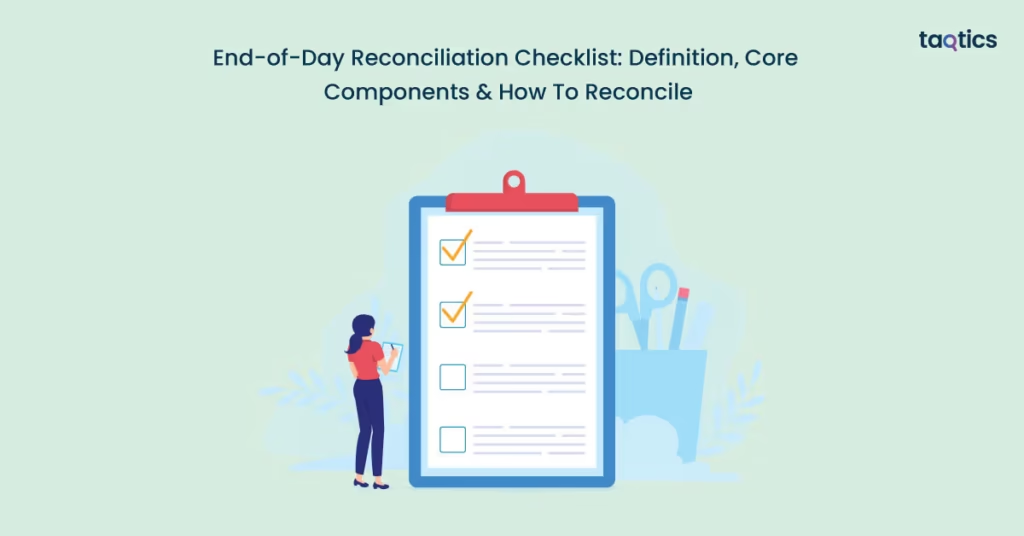
The end-of-day reconciliation checklist is the routine framework used at the close of each business day to ensure that everything sold, paid for, or moved out of inventory actually matches what’s recorded. The end-of-day reconciliation checklist is designed to ensure that recorded transactions match actual cash, card, and other payment flows, which is an essential step in preventing financial leakage and maintaining trust in the numbers.
For example, when the barista shuts down the register, they compare the total of cash and card payments in the point-of-sale system with the physical drawer and deposit slip. If there’s a ₹500 shortfall but no recorded refund, the checklist triggers the investigation.
According to ResolvePay (2023), companies using automated reconciliation tools report up to an 85% faster reconciliation time and a 95% reduction in errors compared with manual methods. By ensuring these checks happen every evening, rather than waiting until month-end, businesses gain stronger cash-flow visibility, reduce the risk of unnoticed shrinkage or mis-posting, and make the larger accounting close significantly smoother, according to NetSuite (2022).
What is End-of-Day Reconciliation?
The daily process of end-of-day (EOD) reconciliation in a retail or business context refers to the systematic comparison of all recorded transactions—such as cash, card payments, refunds, and inventory movements, against actual outcomes at the close of the business day. This ensures that the total sales from the point-of-sale (POS) system match the physical cash and deposits, and that inventory movements align with sales and adjustments.
The key points on EOD reconciliation:
- Accounting Accuracy: Ensures recorded transactions match actual cash, card payments, and inventory movements, reducing errors in financial statements.
- Fraud Prevention: Helps detect unauthorized transactions, refunds, or voids promptly, limiting financial losses.
- Internal Controls: Strengthens segregation of duties, approval processes, and audit trails to ensure accountability.
- Audit Readiness: Provides organized, accurate records that simplify internal and external audits.
- Operational Smoothness: Supports daily decision-making, maintains cash flow integrity, and minimizes shrinkage.
This structured approach makes EOD reconciliation a cornerstone of financial discipline, ensuring that businesses can operate confidently while safeguarding their assets. According to a 2017 study on cash reconciliation in commercial banks in Kenya, 70% of institutions performed reconciliation daily and found a positive and significant correlation between regular reconciliation practices and improved financial performance (ROA) of 11.4%.
How Does the Reconciliation Process Differ for Cash, UPI, and Card Payments?
The reconciliation process differs for cash, UPI, and card payments in how transactions are verified, recorded, and settled. Each payment mode has unique characteristics, timing issues, and control requirements that businesses need to address for accuracy and fraud prevention.
| Aspect | Cash | UPI | Card |
| Reconciliation Steps | Manual count, receipt matching, and verify opening & closing balances | Match transaction logs, timestamps, and settlement batch verification | Compare POS authorization → gateway/acquirer batch → bank deposit |
| Timing & Settlement | Same-day, immediate | Batch settlements, often same-day or next-day | Multi-day settlement, pending batches possible |
| Common Challenges | Human error, theft, and unrecorded refunds | Batch delays, missing settlements, and aggregator fees | Settlement delays, refunds, charge-backs, MDR fees |
| Internal Controls | Segregation of duties, secure storage, and dual counting | Daily log downloads, independent verification, device/app configuration | Segregation of duties, daily batch reconciliation, auditing charge-backs |
| Automation Potential | Low; mostly manual | High; logs can be exported and auto-matched | Medium; some steps can be automated, but settlement timing lags remain |
| Example | Retail cashier counting drawer at the end of day | UPI payments confirmed via transaction log vs bank settlement | Card payments tracked from POS to bank deposit, adjusting for fees/refunds |
Understanding these differences allows businesses to tailor their reconciliation practices, ensuring accurate financial records and smooth daily operations. Applying the right controls and methods for each payment mode significantly reduces errors, prevents fraud, and supports audit readiness.
What Should Be Included in an End-of-Day Reconciliation Checklist?
An end‑of‑day reconciliation checklist should include total sales vs. collected amount, receipt verification, POS report generation, settlement reports (UPI, card), cash drawer tallying, documenting discrepancies, and any other relevant daily close tasks.
- Total sales vs. collected amount: Compare the total sales figure from your system with the actual amount collected from all payment methods. This step is foundational for spotting mismatches early and maintaining financial accuracy. According to an article on end-of-day reconciliation, businesses that run this comparison daily catch mismatches before they scale into major issues.
- Receipt verification: Check that individual sales receipts match entries in the system and that refunds/voids are properly recorded. Verifying receipts helps detect incorrect entries or unrecorded transactions.
- POS report generation: Produce the daily report from your point‑of‑sale system that summarises sales by tender type, transactions processed, and refunds/voids. Generating a POS summary report solidifies the backbone of your reconciliation process.
- Settlement reports (UPI, card): Obtain and review the settlement reports from your payment gateways/aggregators for digital payments like UPI and card transactions. Because of batch processing and deferred settlement, this step ensures that what was processed matches what is deposited.
- Cash drawer tallying: Count the physical cash in the drawer (including coins, notes, starting float, and cash sales) and compare it to the expected cash figure from the POS. This helps identify over-/short-situations and potential cash handling issues.
- Documenting discrepancies: If any mismatches or anomalies exist (e.g., differences between collected amounts and recorded sales, missing settlements, or cash drawer shortfalls), they must be documented with details: amount, reason (if known), corrective action, and who resolved it. This documentation builds audit trails and supports internal controls.
- Additional items (optional but recommended):
- Verify refunds and voids are properly authorised and recorded.
- Check tip/tax distributions if applicable.
- Secure and reconcile the starting float for next day’s operations.
- Ensure backup of all reports and printouts for audit readiness.
By systematically including these elements in your daily checklist, you strengthen internal controls, reduce the risk of fraud or loss, and ensure preparedness for audits or financial reviews. When the day’s books are closed accurately, you also lay the groundwork for smoother month-end and year-end processes.
How to Reconcile Cash at the End of the Day?
You can reconcile cash at the end of the day by opening cash balance vs. closing, petty cash adjustments, Manual cash count, and register or POS cash report matching.
- Opening cash balance vs. closing: Begin by verifying the starting cash float (opening cash balance) that was placed in the cash drawer at the beginning of the day against the ending balance. This establishes the baseline from which all sales and cash flows must reconcile. A reliable reconciliation process helps ensure that the actual cash on hand aligns with the recorded transactions.
- Petty cash adjustments: Include any small cash disbursements (petty cash) made during the day, e.g., for change, incidental expenses, or cashier-handled refunds. These adjustments must be documented and deducted (or added) appropriately so the cash balance reflects the net effect of all cash in/outflows.
- Manual cash count: Perform a physical count of all cash in the drawer at closing – notes, coins, float, change reserve – and compare it with the expected cash amount derived from opening float plus cash sales minus cash refunds or withdrawals. This count catches human errors, mis‑counts or theft. According to NetSuite, cash reconciliation detects inconsistencies in cash on hand versus internal records, which can indicate unrecorded transactions or mis‑handling.
- Register or POS cash report matching: Extract the cash-related summary report from the POS/register system (cash sales, cash refunds, voids) and match it with the physical cash count and treasury entries. Any variances should be flagged, investigated and explained. A proper match ensures that the recorded sales by cash align with the actual cash received.
By executing these steps consistently, you strengthen internal controls, prevent cash shrinkage and ensure your day-end cash position is accurate and auditable.
How to Reconcile UPI Payments Daily?
You can reconcile UPI payments daily by matching POS receipts, using app dashboards, handling delayed settlements, and checking bank statements.

- Match POS receipts: Compare your POS sales log for UPI payments with the UPI transaction history from merchant accounts, aggregators, or banks. Flag any mismatches in amount, timestamp, or reference numbers. According to PwC (2024), UPI transaction volumes in India grew 57% YoY, making accurate matching critical.
- Use app dashboards: Download daily reports from apps like PhonePe or Google Pay, which summarize transactions, settlements, and refunds. Automation reduces manual errors, which over 42% of organizations report when reconciling digital payments manually.
- Handle settlements: Track transactions that are processed but not yet credited to the bank. Maintain a pending-settlement list and reconcile when funds are received, accounting for any fees or adjustments. UPI monthly volumes exceeded 19,600 million transactions in Sept 2025, highlighting the need to monitor delays carefully.
- Check bank statements: Verify that credited amounts match your settlement reports and flag any discrepancies. This final step strengthens audit readiness and internal controls.
Following these steps daily ensures UPI payments are reconciled accurately, supports financial integrity, and reduces errors in cash flow reporting.
What is the Right Way to Reconcile Card Payments?
You can reconcile card payments by focusing on settlement reports, settlement timing (Daily vs T+1), card‑provider logic (Visa, Mastercard, etc.), and matching POS data with bank credits.
- Settlement Reports from Terminal/Gateway: Obtain the daily settlement batch report from your card terminal or payment gateway. This report should list all the card‑transactions captured, amounts, fees (interchange, MDR), and net amount due. Matching this report against your internal POS data ensures you’re credited correctly. According to a guide by SKsoft, a growing volume of credit‑card transactions makes manual reconciliation increasingly inefficient and error-prone.
- Daily vs T+1 Settlements: Settlement timing matters. Many card transactions are batched and settled not on the same day as the sale, but at “T+1” or even T+2 days later. For example, the Stripe overview notes that credit‑card funds may arrive one to three business days after the transaction. Understanding the timing helps you track pending amounts and avoid drawing false conclusions from your cash‑flows.
- Card‑Provider Reconciliation Logic (Visa, Mastercard, etc.): Different card networks (Visa, Mastercard) apply their own rules for interchange fees, batching, currency conversion, and charge‑backs. You need to reconcile not just gross sale amounts, but also net settlement after these deductions. The guide by Checkout.com emphasises that proper reconciliation helps spot fee anomalies, processing errors or fraudulent adjustments.
- Match POS Data with Bank Credits: Finally, you must match your internal POS database (what you recorded as card sales) with the actual credit deposited into your bank (net of fees) on the settlement date. Discrepancies should be flagged, investigated and documented. The reconciliation needs to trace from sale → authorization → settlement → deposit. As one settlement guide explains, reconciling settlement reports with bank statements daily is best practice.
When you follow these steps consistently, you’ll ensure that your card‑payment flows are accurately reflected in your accounting, reducing risk of lost revenue or undetected issues.
What Tools Can Help Automate the Reconciliation Process?
The tools that help automate the reconciliation process are: POS system capabilities, Integration with accounting software, Reconciliation automation tools, Payment aggregator dashboards, and Sample tools.
- POS system capabilities: Modern point‑of‑sale (POS) systems capture transaction data in real time and can generate detailed sales, tender‑type and refund reports. This means the data needed for reconciliation is already structured and available, reducing manual entry errors. For example, POS reconciliation automation for retail operations often achieves a high degree of matching accuracy and faster close cycles.
- Integration with accounting software: When your accounting system is integrated with sales and banking platforms, data flows automatically between them. This reduces data silos, double data entry and delays. For instance, companies report up to a 70% reduction in reconciliation time when automation is embedded in ERP workflows and systems are integrated.
- Reconciliation automation tools: These are dedicated software platforms designed to pull in data from multiple sources (POS, bank feeds, payment gateways), perform transaction matching, flag exceptions, and maintain audit trails. Studies show that finance teams using such tools achieve up to 85% faster reconciliations and a 95% reduction in errors compared to manual methods.
- Payment aggregator dashboards: Payment aggregators (for example, UPI, card platforms) provide dashboards and reports that summarise transaction volumes, settlement batches, failed payments and fees. When these dashboards are connected to your reconciliation process (or tools), you gain visibility into settlement timing, exceptions and can reconcile digital payments more quickly. Automation here helps manage large volumes of small transactions that would otherwise tie up resources.
- Sample tools: There are market-leading reconciliation platforms you can evaluate for your business. One of them is Taqtics. Taqtics is a digital operations and compliance platform used in retail, restaurants, and manufacturing to handle checklists, audits, asset tracking, and workflows. While not purely a reconciliation tool, its capabilities in process automation, task management and audit trails make it a relevant part of a broader automated reconciliation ecosystem.
Incorporating the right tools into your reconciliation workflow ensures more efficient processes, stronger controls and better audit readiness. By leveraging technology, you can shift from manual, error-prone reconciliation to a streamlined, transparent and timely process.
What Are Common Errors in Daily Reconciliation and How to Fix Them?
There are five common errors in daily reconciliation – double entries, missing receipts, payment mismatches (POS vs. bank), weak audit trails, and delayed error correction. The details and the ways to fix them have been discussed below.
- Double entries: This occurs when the same transaction is recorded more than once, perhaps manually and via an automated feed, leading to inflated totals and distorted financials. To fix it:
- Implement duplicate‑detection rules in your accounting system;
- Regularly compare summarised vs. detailed entries;
- Conduct a review step that flags identical transaction amounts/dates.
- Missing receipts: Transactions that never get recorded because the physical receipt was mis‑filed or never captured create blind spots in daily reconciliation. According to one report, many organisations lose between 1%‑5% of annual revenue due to unrecorded transactions. To fix it:
- Enforce a policy that all receipts are captured at day‑end;
- Create a “receipt missing” log and follow up immediately;
- Integrate receipt capture with digital POS to reduce paper losses.
- Payment mismatch: The amount recorded in your POS system doesn’t match what the bank actually deposits because of fees, timing differences or posting errors. These mismatches are among the most frequent reconciliation discrepancies. To fix it:
- Maintain a reconciliation line for “expected bank deposit” vs. actual;
- Review fee/charge‑backs and timing lags;
- Reconcile daily so mismatches are caught early.
- Tips to audit trails: Without a strong audit trail—clear records of who did what, when and why—errors can go undetected and fraud risk rises. One article emphasises that missing documentation is a key cause of reconciliation failures. To fix it:
- Ensure every adjustment or discrepancy resolution is logged with date/time, reason and responsible person;
- Use digital checklists or dashboards that preserve history;
- Review audit logs monthly for missing entries.
- Correcting errors next day: When reconciliations are done infrequently, errors pile up and become harder to trace. Daily reconciliation is recommended to prevent this accumulation. To fix it:
- Commit to a daily close of reconciliation tasks;
- Set exceptions aside for investigation and resolution the next day;
- Track outstanding issues until closed.
Recognizing and addressing these common reconciliation errors helps maintain accurate financial records, reduces fraud risk and supports operational reliability.
What Are RBI Guidelines Around Digital Payment Reconciliation?
The Reserve Bank of India (RBI) guidelines around digital payment reconciliation are structured around NPCI norms for UPI settlements, payment gateway settlement timelines, and chargeback resolution guidelines.
- NPCI norms for UPI settlements: Under the National Payments Corporation of India (NPCI) Operating Circulars, members of the UPI network must issue a letter of authority to the RBI to credit/debit their settlement accounts, and settlement of inter-bank UPI transactions is done via netting through RTGS/IMPS mechanisms. The guidelines also require that settlement cycles, cut-offs and roles of participants (PSPs, banks, TPAPs) be clearly defined.
- RBI circulars on payment gateway settlement timelines: RBI-mandated rules stipulate auto‑reversal of failed transactions within specific timelines—e.g., for UPI transfers, if the beneficiary is not credited, reversal must happen latest by T+1 day; for merchant payments, if confirmation is missing, reversal within T+5 days with a penalty of ₹100 per day beyond the limit. Additionally, for non-bank payment aggregators/gateways under the RBI’s Payment Aggregator regulations, funds must be held in escrow accounts and settlement to merchants must happen per stipulated timeframes.
- Chargeback resolution guidelines: The guidelines require swift resolution of disputed or unauthorized electronic transactions. For example, under the customer liability framework, complaints must be resolved within 30 days or the customer may approach the RBI Ombudsman. For UPI transactions, NPCI added auto acceptance/rejection rules for chargebacks effective February 15, 2025.
These guidelines provide the backbone for daily reconciliation practices, ensuring settlement integrity, streamlining dispute management, and enforcing accountability through clearly defined roles and timelines.
How Can You Maintain an Audit Trail for Reconciliations?
You can maintain an audit trail for reconciliations by using log books, digital logs from POS or accounting software, email confirmations, and downloadable settlement files. Maintaining a proper audit trail ensures accountability, transparency, and ease of verification for both internal reviews and external audits.
- Log Books: Keep a physical record of daily reconciliation activities, including cash counts, POS summaries, UPI or card settlements, and any discrepancies found. Writing down who performed each step, along with dates and corrective actions, creates a clear, traceable record. According to The Institute of Chartered Accountants of India (ICAI, 2022), maintaining manual logs alongside digital records improves verification and internal control.
- Digital Logs from POS/Accounting Software: Modern POS and accounting systems automatically record transactions, edits, voids, refunds, and reconciliations. Exporting these logs daily or retaining them in the system ensures all actions are traceable. Digital logs help reduce human error and enable auditors to verify reconciliations efficiently.
- Email Confirmations: Save confirmation emails from payment gateways, UPI apps, and banks, which provide evidence of settlements, reversals, or chargebacks. These emails act as an independent third-party verification that transactions were processed or reversed according to records.
- Downloadable Settlement Files: Regularly download settlement reports from banks, payment aggregators, and card processors in CSV, PDF, or Excel formats. Retain them in a structured folder or document management system for reconciliation verification and audit purposes. These files help match POS or accounting records with actual funds received.
By combining these methods, businesses create a robust audit trail that supports compliance, simplifies error investigation, and strengthens internal controls, making reconciliation both transparent and verifiable.
Should Businesses Train Staff for Reconciliation?
Yes, businesses should train staff for reconciliation. Proper training ensures daily discipline, adherence to standard operating procedures (SOPs), and accountability, reducing errors and strengthening internal controls.
- Importance of Daily Discipline: Reconciliation is most effective when done consistently at the end of each day. Training staff on the significance of daily checks, including cash counts, POS vs. bank matching, and digital payment verification, helps instill a routine that prevents errors and discrepancies from accumulating. According to a report by HighRadius (2023), organizations that enforce daily reconciliation practices reduce errors by up to 60%.
- Staff SOPs and Accountability: Employees must understand their specific roles in the reconciliation process, including who performs counts, verifies receipts, updates records, and investigates discrepancies. Clear SOPs, paired with accountability measures, ensure each step is performed correctly and consistently. Documenting responsibilities also strengthens audit trails.
- Sample Training Checklist: A structured checklist can help train staff effectively. Key items include:
- Counting and verifying cash at day-end
- Matching POS entries with physical receipts
- Reconciling UPI and card settlements
- Identifying and documenting discrepancies
- Recording corrections in logs or software
- Following escalation procedures for unresolved issues
Training staff in reconciliation builds operational discipline, reduces errors, and ensures accurate financial reporting, supporting both smooth daily operations and regulatory compliance.
When Should You Escalate Payment Discrepancies to the Provider or Bank?
You should escalate payment discrepancies to the provider or bank when internal reconciliation cannot resolve mismatches within standard timelines. The key factors include refund timelines, escalation channels, and chargeback windows, ensuring timely resolution and protection against financial loss.
- Timeline for UPI/Card Refunds: For UPI transactions, failed payments or reversals must be reported promptly, typically within T+1 day, to avoid settlement delays. For card payments, merchant refunds should adhere to the provider’s stipulated window, often 7–10 business days. Escalating beyond these timelines may risk delayed resolution or loss of funds.
- Escalation Channels: Use the official support channels of the payment provider or bank:
- UPI apps/aggregators: PhonePe, Google Pay Business, Razorpay dashboards
- Card networks: Visa, Mastercard merchant support or acquiring bank portals
Document the escalation with transaction references, amounts, timestamps, and any internal notes to create a traceable record.
- Chargeback Window Awareness: For card payments, be aware of the chargeback or dispute resolution window (usually 30–45 days depending on the network). Escalating within this window ensures eligibility for reversals or corrections. Ignoring timelines can lead to forfeited claims.
Escalating payment discrepancies promptly through the right channels and within stipulated timelines ensures faster resolution, protects revenue, and maintains customer trust.
About the Author