Service Counter & POS Readiness Checklist: Definition, Importance & Components
Service Counter & POS Readiness Checklist for restaurants begins with ensuring that your service counter layout, equipment and staff training are aligned with high‑volume ordering patterns and rapid payments. For example, in India, according to GrandView Research, the restaurant POS terminal market generated around US $529 million in 2023, with projections reaching US $1.54 billion by 2030; this underlines how critical it is for restaurants to have fully functional POS systems.
In the context of a restaurant service counter, even a brief malfunction, such as a frozen POS terminal, missing cash float or untrained server, can increase queue time, frustrate guests and impact revenue. With the Indian food‑service market expected to grow from roughly INR 400,000 crore in 2023 to INR 900,000–1,000,000 crore by 2030, restaurants must treat POS readiness as a critical operational discipline rather than just an IT issue.
Download the checklist. Run it like a system.
Get the ready-to-use template, and see how Taqtics captures photo proof, timestamps, and compliance automatically.
Why Service Counter & POS Readiness Matters?
Service Counter & POS readiness matters because the service counter acts as the central hub of restaurant operations, especially in fast-paced environments. It is where orders are taken, payments are processed, and customer interactions occur; any delays or inefficiencies at this point can ripple through the entire operation, causing longer wait times, order errors, and reduced customer satisfaction.
- Seamless transactions: Quick and accurate billing reduces queues and improves customer flow.
- Accurate order processing: POS systems help transmit orders correctly to the kitchen, minimizing mistakes.
- Enhanced customer experience: Faster service and fewer errors boost customer satisfaction and loyalty.
- Operational efficiency: Integrated POS systems allow staff to manage orders, payments, and inventory from a single platform.
- Data tracking and reporting: POS systems generate real-time reports, helping managers make informed decisions.
A ready POS system is critical for seamless transactions, accurate order processing, and smooth coordination between the kitchen and front-of-house staff. Ensuring that the service counter is well-organized and the POS system is fully operational is essential for maintaining efficiency, reducing errors, and delivering a positive dining experience that encourages repeat business.
What Is a Service Counter in a Restaurant?
A service counter in a restaurant is the central point where customers place orders, make payments, and interact with staff to fulfill their dining needs. It acts as the operational hub that links the front-of-house and kitchen, ensuring smooth flow of orders, timely billing, and customer assistance.
In quick-service restaurants (QSRs), the service counter is often the primary interaction point. Orders are taken rapidly, payments are processed immediately, and customers may pick up their food directly from the counter. In contrast, full-service restaurants may have a less transactional counter, as servers take orders at the table, and the counter functions more as a support area for managing bills, reservations, and customer queries.
The service counter significantly impacts both customer experience and operational flow:
- Customer experience: A well-organized counter reduces wait times, ensures accurate billing, and provides quick assistance, creating a positive impression.
- Operational efficiency: It streamlines communication between the kitchen and front-of-house, helps prioritize orders, and supports inventory tracking.
- Error reduction: Clear workflows at the counter minimize mistakes in order taking, billing, and service.
In short, the service counter serves as the nerve center of restaurant operations, shaping both how efficiently the restaurant functions and how satisfied the customers feel.
What Does POS Readiness Mean in the Context of Restaurant Operations?
POS readiness in restaurant operations refers to ensuring that the point-of-sale (POS) system is fully functional, up-to-date, and prepared to handle all transactions, orders, and reporting requirements before service begins. It means the system is configured correctly, staff are trained to use it, and all peripheral devices, like printers, cash drawers, and card readers, are operational.
- Processing orders accurately: Transmitting customer orders to the kitchen or bar without errors.
- Handling payments efficiently: Supporting cash, card, UPI, and digital wallet transactions quickly and securely.
- Tracking data in real time: Recording sales, inventory usage, and employee performance for reporting and analysis.
- Improving operational efficiency: Integrating with inventory management, kitchen display systems, and accounting software to reduce manual work.
POS readiness is crucial because it directly impacts the speed of service, accuracy of orders, data reliability, and overall operational efficiency. According to Zomato India (2023), restaurants with well-maintained POS systems report up to 30% faster order processing and 20% fewer billing errors, demonstrating the importance of keeping POS systems ready for every shift.
What Should Be Included in the Service Counter & POS Readiness Checklist?
A service counter & POS readiness checklist should include hardware and physical setup, software and systems, connectivity and network, and staff readiness.
Hardware and Physical Setup
Before service, verify that all POS terminals, customer-facing displays, and payment devices are powered on and functional.
- Functionality test: Check device responsiveness, connectivity, and ensure receipt printers are working properly.
- Payment processing: Test EMV chip readers, contactless payment devices, and cash drawers.
- Counter and service area: Clean and organize the counter, bar, and host stand.
- Supplies: Restock essentials like receipt paper, pens, and promotional materials.
- Cash drawer: Count cash from the previous shift, set up the new float correctly, and ensure the lock is engaged.
Software and Systems
POS software must be fully operational, with all settings and security features verified:
- POS system: Log in and confirm full functionality.
- Menu and pricing: Ensure items, modifiers, and pricing are updated.
- Inventory: Verify low-stock alerts and item availability are correctly configured.
- Payment processing: Test integrated payment methods, including credit/debit cards, UPI, mobile wallets, and gift cards.
- Security: Confirm server logins, cash drawer controls, and user access levels are working properly.
Connectivity and Network
Reliable connectivity is critical for POS operations and payment processing.
- Internet: Ensure the primary connection is stable; verify backup connectivity if available.
- Network equipment: Check routers, switches, and cabling for proper function and absence of damage or obstruction.
Staff and Operations
Staff readiness ensures smooth service flow and accurate transactions:
- Staff briefing: Communicate menu changes, daily specials, or operational updates.
- Logins: Have staff log in to their stations to confirm correct access and permissions.
According to Zomato India (2023), POS-ready restaurants experience 30% faster order processing and 20% fewer billing errors, highlighting the importance of systematic readiness.
How Often Should You Check POS System Readiness?
You should check the POS system readiness regularly through a structured process to ensure smooth restaurant operations, prevent errors, and maintain customer satisfaction.
- Daily pre-shift checklist: Before each shift, log in to the POS system, verify all terminals and devices are functional, test payment processing, and ensure menu items and prices are correct. This ensures that every shift starts with a fully operational system.
- Weekly software updates & backups: Perform weekly updates to the POS software to install patches, security updates, and feature enhancements. Back up transaction and inventory data to prevent loss in case of system failure.
- Monthly audits and system testing: Conduct a thorough monthly review of the POS system, including security settings, inventory integration, and reporting accuracy. Test all devices, peripherals, and backup systems to ensure long-term reliability and compliance.
Regularly checking the POS system readiness minimizes operational disruptions, reduces errors, and ensures a consistent, high-quality customer experience.
What Are the Common POS Issues Restaurants Face During Service?
There are six common POS issues restaurants face during service that can disrupt operations, delay orders, and negatively impact customer experience.
- Freezing or crashing terminals: POS systems may freeze or crash due to software bugs, outdated systems, or network issues, halting order entry and payment processing.
- Printer failures: Receipt or kitchen printers may jam, run out of paper, or fail to connect, causing delays in billing or order preparation.
- Card reader errors: Malfunctioning EMV or contactless payment devices can prevent successful card or mobile wallet transactions, frustrating customers.
- Incorrect order routing: Orders may be sent to the wrong kitchen station or display screen, leading to wrong or delayed preparation.
- Login access issues: Staff may encounter problems logging into their POS accounts due to forgotten passwords, permission errors, or system glitches, disrupting service flow.
- Menu misconfiguration: Incorrect pricing, missing items, or misconfigured modifiers can lead to billing errors and customer dissatisfaction.
Addressing these common POS issues through regular maintenance, pre-shift checks, and staff training ensures smoother operations, faster service, and improved customer satisfaction.
How Can Staff Be Trained for POS and Counter Readiness?
The staff can be trained for POS and counter readiness by providing training and learning sessions at different stages for different roles. This ensures smooth restaurant operations, minimizes errors, and provides a positive customer experience.
- Initial onboarding vs. ongoing training: During onboarding, new employees should be trained on POS navigation, payment processing, cash handling, and counter protocols. Ongoing training helps staff stay updated on menu changes, system upgrades, and operational best practices. (restaurant.org, 2023)
- Shadowing and simulation-based learning: New staff can shadow experienced employees during live shifts to understand workflows. Simulation exercises allow employees to practice order entry, payment processing, and handling common POS issues in a controlled environment without affecting real customers.
- Use checklists in daily briefings: Incorporating POS and counter readiness checklists into pre-shift briefings ensures staff remember key tasks such as verifying terminals, restocking supplies, and testing devices, reinforcing consistency and accountability.
Structured training programs enhance staff confidence, reduce errors, and ensure that both the service counter and POS systems are ready for every shift, improving overall operational efficiency and customer satisfaction.
How Can You Optimize Your Service Counter Layout for Speed and Efficiency?
You can optimize your service counter layout for speed and efficiency through a well-planned layout that reduces delays, minimizes staff movement, and ensures smooth order flow.
- Counter design principles: Keep the counter minimalist, clean, and accessible. Avoid clutter and ensure frequently used items are within easy reach to speed up service.
- Queue management: Design clear paths for customers to line up, place orders, and pick up items. Proper signage and physical barriers help prevent congestion during peak hours.
- Positioning of POS, printers, and pickup areas: Place POS terminals, receipt/kitchen printers, and order pickup zones strategically to reduce staff movement and avoid cross-traffic.
- Consider ADA compliance: Ensure the counter layout is accessible for all customers, including those with disabilities, following accessibility guidelines.
By following these practices, restaurants can improve order accuracy, reduce wait times, and enhance staff efficiency, creating a smoother overall service experience.
How Does POS Readiness Impact Customer Experience?
POS readiness impacts customer service in four common ways, ensuring that transactions and order processing are fast, accurate, and seamless.
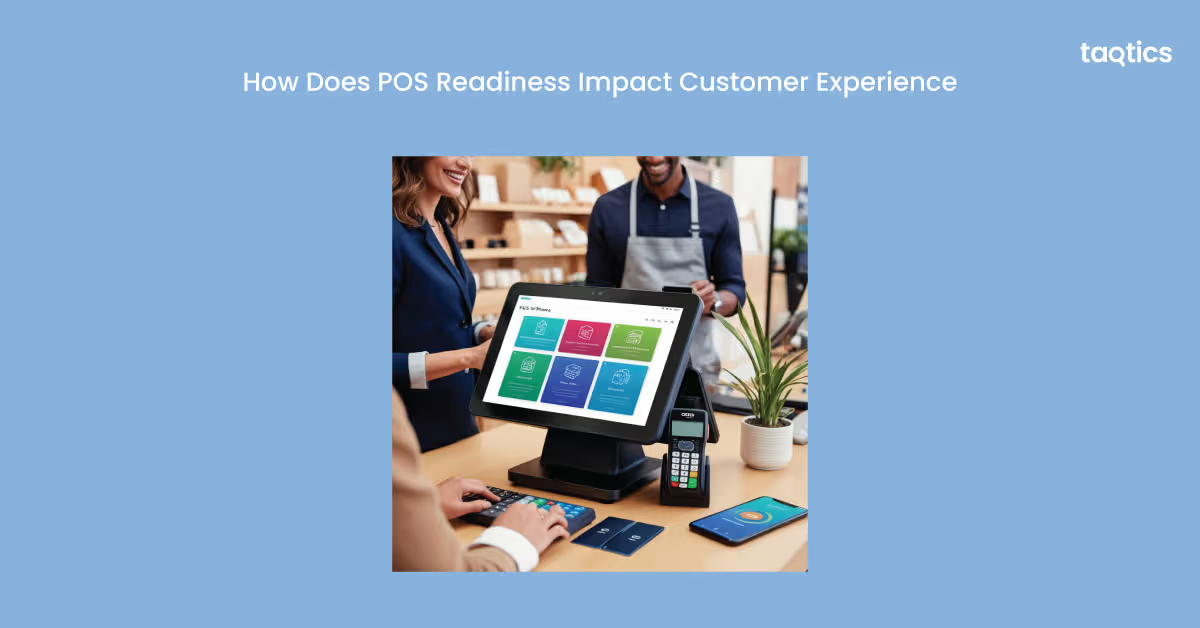
- Faster service = happier customers: When the POS is fully operational, orders are entered and processed quickly, reducing wait times and improving table turnover.
- Reduces errors and frustration: Accurate order entry and billing prevent mistakes that can frustrate customers and disrupt service flow.
- Enables loyalty programs and personalization: Ready POS systems can track customer preferences, apply discounts, and manage loyalty points, enhancing personalized experiences.
- Supports multiple payment options: POS readiness ensures smooth handling of cash, card, UPI, and digital wallet transactions, offering convenience and flexibility to customers.
A well-prepared POS system enhances speed, accuracy, and convenience, directly contributing to higher customer satisfaction and repeat business.
Should You Use Cloud-Based or On-Premise POS Systems?
You should use cloud-based or on-premise POS systems depending on your restaurant’s needs, budget, and operational priorities. Both options have advantages and drawbacks that impact cost, flexibility, and reliability.
- Cloud-based POS systems:
Cloud-based POS systems are internet-enabled platforms that store data on remote servers, allowing real-time access, updates, and integration with apps across multiple locations.
- Accessible from anywhere, automatic software updates, real-time reporting, easy integration with mobile apps and loyalty programs.
- Dependence on stable internet connectivity; subscription costs can add up over time.
Some examples of such systems in India are Zomato Base, MobiPOS, Ezetap.
- On-premise POS systems:
These store data locally on in-house servers or terminals, providing offline functionality and more control over hardware and security.
- Operates independently of internet connectivity, data stored locally, typically a one-time purchase cost.
- Higher upfront hardware costs, manual software updates, limited remote access, and scalability challenges.
Some examples of such systems in India are POSist, GoFrugal, Infrasys.
Choosing the right POS system depends on your restaurant’s size, growth plans, and tech infrastructure. Cloud-based POS is ideal for flexibility and multi-location operations, while on-premise systems work well for single-location restaurants prioritizing offline reliability.
What causes POS failures during service hours?
POS failures during service hours can be caused by a variety of technical, operational, and human factors. Identifying these causes helps restaurants prevent downtime, maintain smooth operations, and ensure a positive customer experience.
- Hardware issues: Malfunctioning terminals, card readers, receipt printers, or cash drawers can halt order processing or payment collection. Physical damage, wear and tear, or connectivity problems with peripheral devices are common culprits.
- Software glitches: Bugs, outdated POS software, or failed updates can cause terminals to freeze, crash, or behave unpredictably during service.
- Network and connectivity problems: Slow or unstable internet connections can interrupt cloud-based POS systems, prevent payment authorizations, and delay order routing to the kitchen.
- Power outages: Lack of backup power for POS terminals or network equipment can completely halt operations in both cloud-based and on-premise systems.
- Human error: Incorrect logins, misconfigured user permissions, or mistakes in inputting menu items and prices can cause errors that appear as system failures.
- Integration and configuration issues: Poorly configured payment gateways, inventory integration, or third-party app connections can prevent transactions from completing or cause data discrepancies.
Regular maintenance, pre-shift checks, staff training, and backup systems are key to minimizing POS failures and ensuring uninterrupted restaurant operations.
Download the checklist. Run it like a system.
Get the ready-to-use template, and see how Taqtics captures photo proof, timestamps, and compliance automatically.
What’s the difference between POS readiness and POS setup?
| Aspect | POS Setup | POS Readiness |
| Definition | Initial installation and configuration of the POS system | Daily or shift-based check to ensure the POS is fully operational |
| Scope | Hardware installation, software setup, menu/pricing entry, user accounts, payment gateway integration | Terminal functionality, payment devices, menu updates, network connectivity, staff logins |
| Timing | One-time or occasional (during rollout or major upgrades) | Every day or before each shift |
| Purpose | To get the POS system up and running | To ensure smooth, error-free operations during service |
| Focus | Technical and configuration tasks | Operational readiness and staff preparedness |
| Examples | Installing POS terminals, configuring printers, and entering menu items | Testing card readers, verifying inventory alerts, logging in staff, checking internet connection |
About the Author