
AI-Powered VM Execution
Done Right!
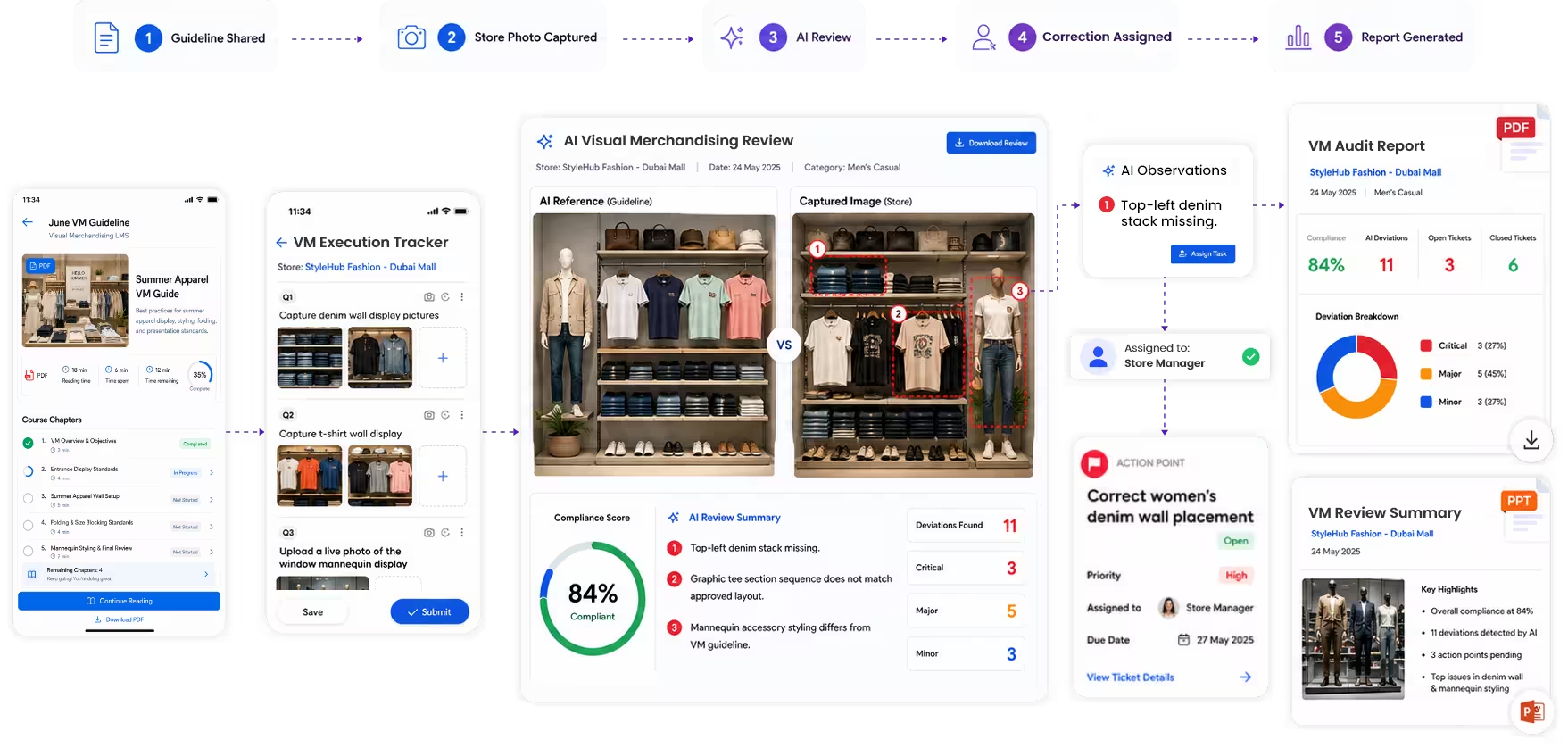
Share approved VM guidelines and planograms with the right stores, capture live execution photos, let AI detect planogram deviations, and convert issues into trackable corrective tasks.
Your VM Guidelines Are Not the Problem.
Store-Level Execution and Review is.
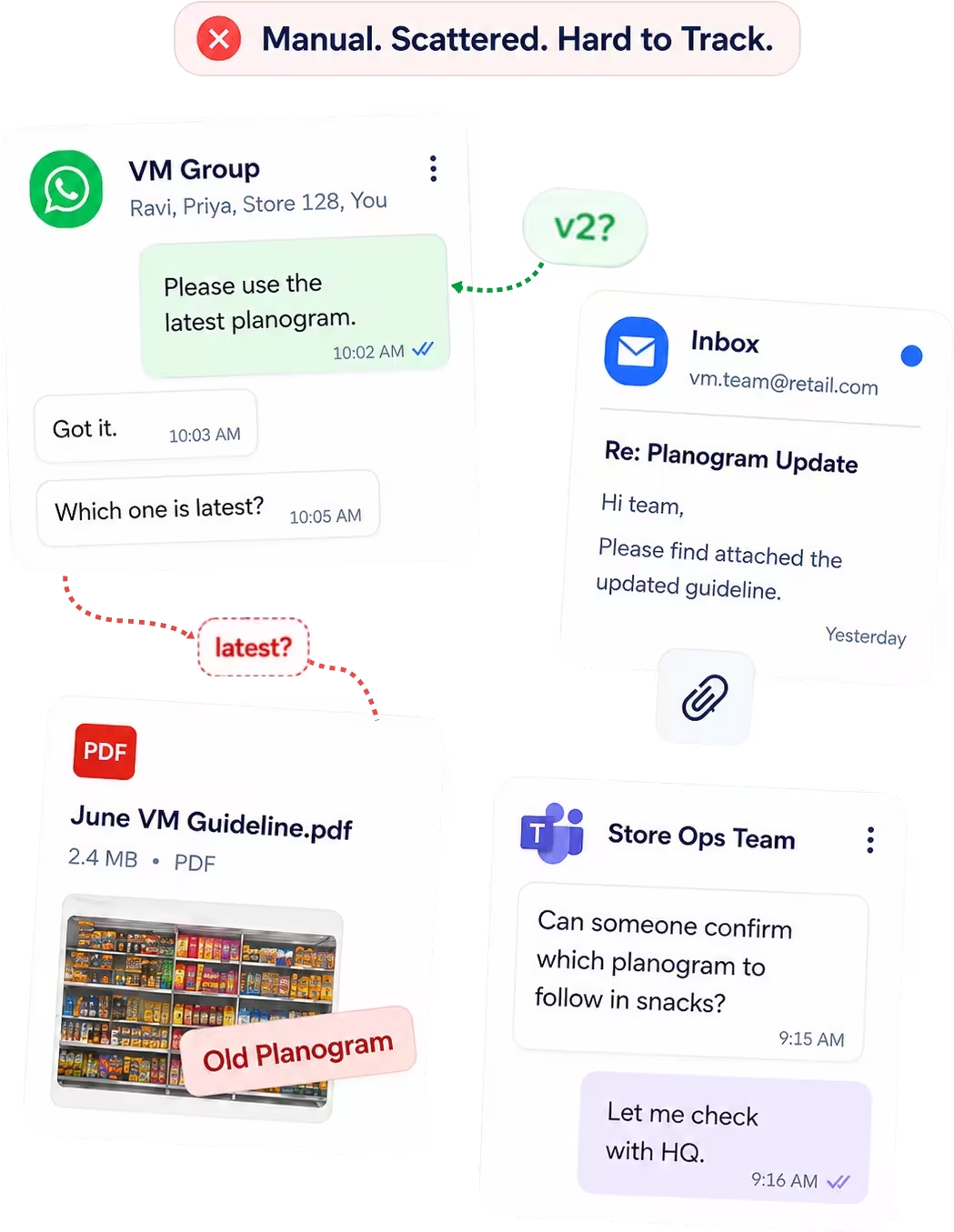
Most retail teams already create strong VM guidelines, campaign displays, planograms, and shelf standards. The real challenge is knowing whether every store has received the latest version, executed it correctly, and fixed deviations on time.
Guidelines scattered across WhatsApp, email, and PDFs
Stores following outdated planograms
No live proof of actual execution
Manual review with no structured action tracking
Send the Right VM Guidelines to the Right Stores
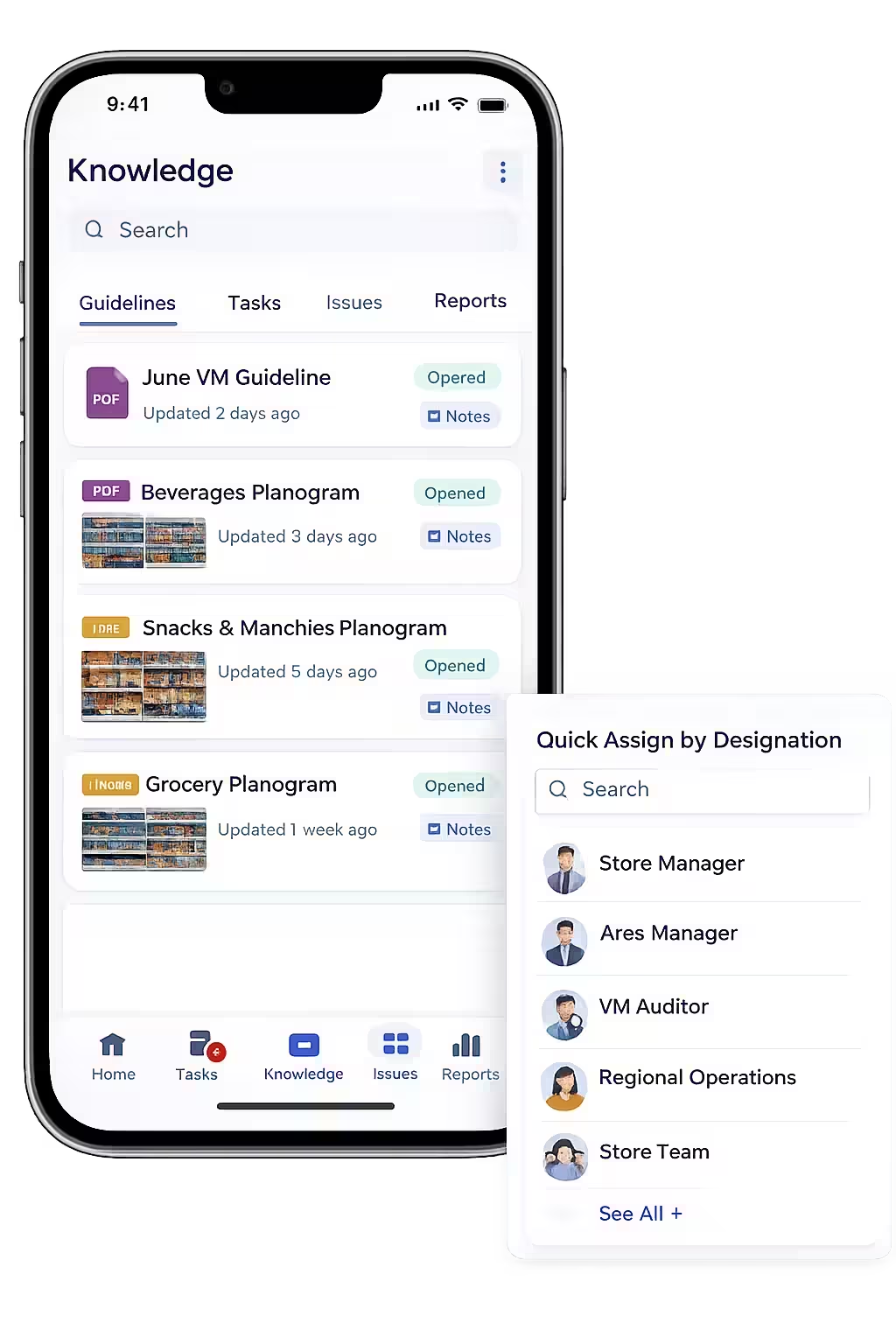
Upload planograms, campaign displays, window display instructions, shelf layouts, and merchandising standards. Assign them by store, region, role, designation, or department so every team sees only what is relevant to them.
- ✓Upload PDFs, images, videos, and documents
- ✓Assign by store, region, role, or designation
- ✓Keep teams aligned with the latest version
- ✓Store teams access guidelines from the mobile app
- ✓Reduce dependency on WhatsApp and manual follow-ups
Capture Store Photos.
Let AI Validate VM Compliance.
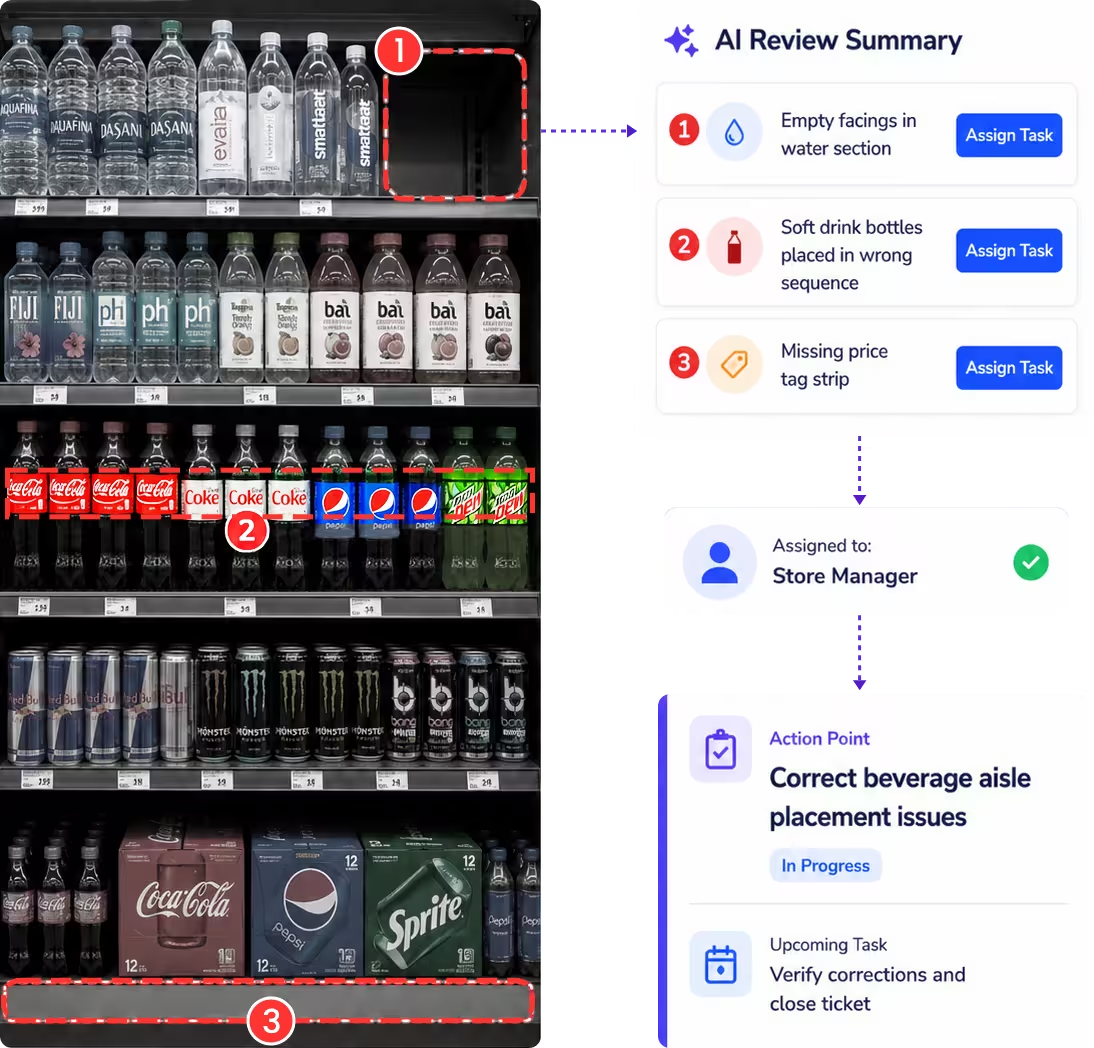
Store teams and auditors can capture live execution images directly from the Taqtics mobile app. Each image can be reviewed by AI against the assigned VM guideline or planogram, so non-compliances are flagged for the VM team to review and convert into issue tickets with a single click.
- ✓Capture live execution images against each VM checklist item
- ✓AI reviews submitted images against approved VM guidelines or planograms
- ✓Non-compliances are flagged for manual review by the VM team
- ✓Create issue tickets from flagged deviations with one click
- ✓Track correction status from assigned to closed
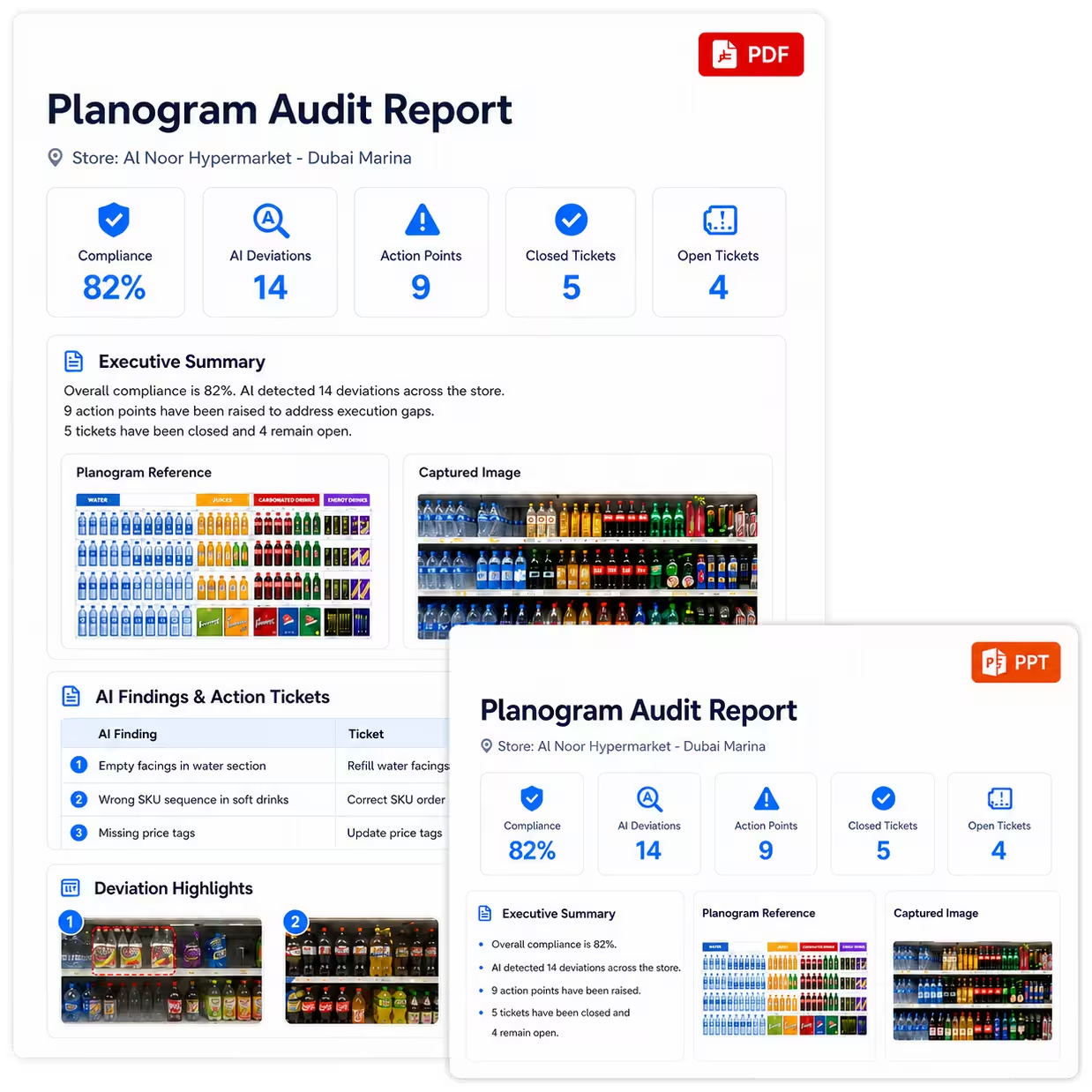
Generate VM Audit Reports Without Manual Reporting Work
Taqtics automatically creates structured PDF and PPT reports with audit summaries, section scores, AI findings, execution images, reviewer comments, action point summaries, and ticket status.
- ✓Audit summary and section summary
- ✓AI summary and deviation details
- ✓Action point summary with ticket status
- ✓Reference image versus captured image
- ✓Review logs for audit documentation
April 1, 2024 Thursday
How Americana Streamlined Audits Across 1,089 Outlets
Taqtics helped digitize store hygiene and supply audits across outlets, warehouses, and commissaries. Compliance improved dramatically across all levels.
Read Full Case Study >>
March 15, 2024 Friday
How Barns Café Scaled Compliance and Issue Resolution Across 1,000+ Stores
By digitizing audits, automating issue workflows, and replacing manual processes, Barns Café streamlined operations, improved compliance scores by 37%, and cut issue resolution times by 75%—all while giving HQ real-time visibility across their nationwide footprint.
Read Full Case Study >>
February 10, 2024 Monday
How Solitario Scaled Luxury Retail with 95% Compliance and 87% Faster Issue Resolution
Solitario used Taqtics to digitize audits, SOPs, and asset tracking—boosting compliance to 95%, cutting issue resolution time by 87%, and maintaining brand consistency across 50+ stores.
Read Full Case Study >>