
Build checklist templates
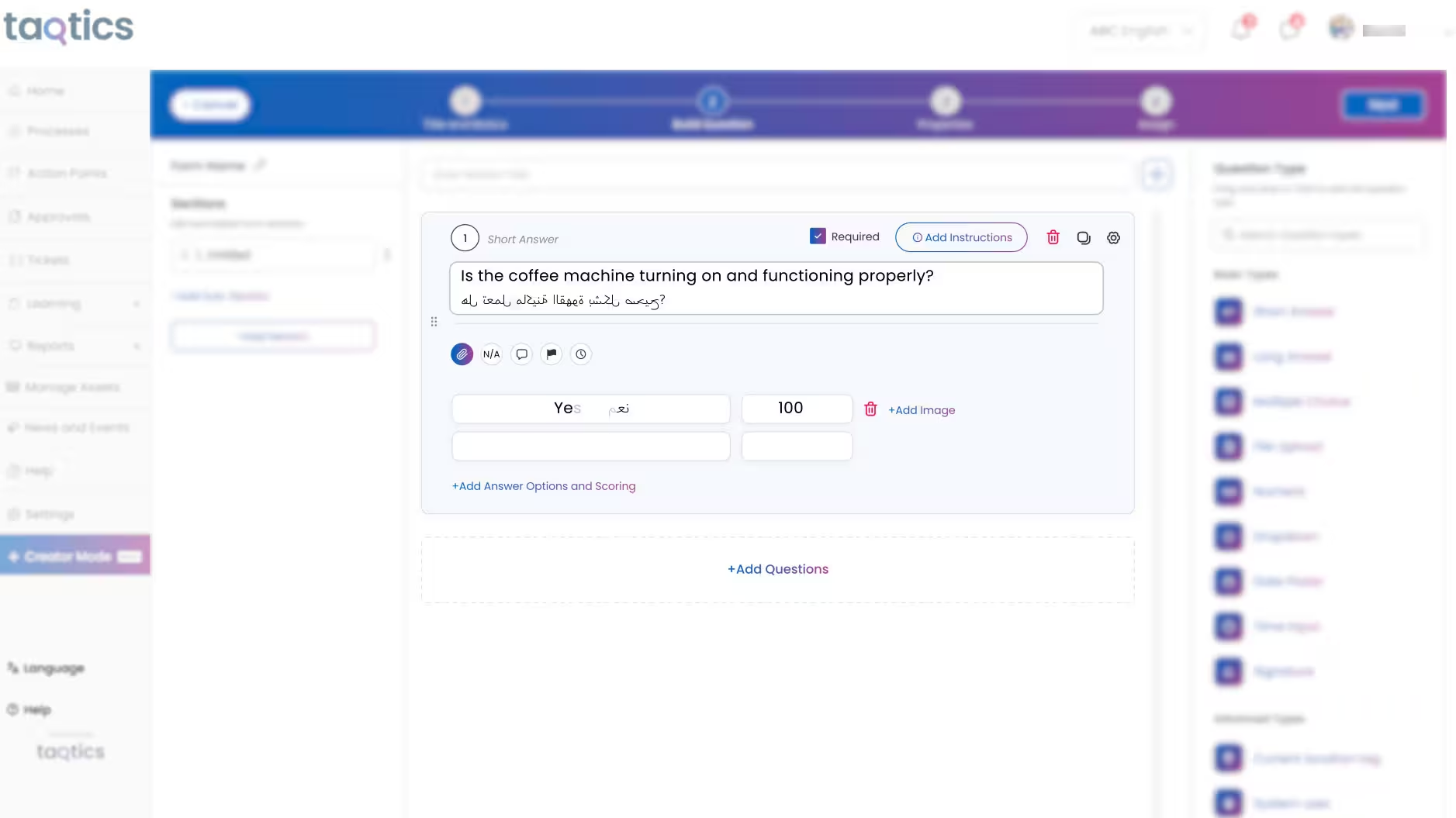
Add sections, questions, instructions, answer formats, and proof requirements for each SOP.
Create recurring checklists, assign tasks by location or role, automate reminders, capture proof of completion, and track daily SOP execution across every store in real time.


Built for multi-location retail, restaurant, QSR, café, and store operations teams.
Trusted by multi-location teams across retail and restaurants
Loved by Customers,
Trusted by Experts








Stores depend on hundreds of recurring routines: opening checks, cleaning tasks, food safety controls, stock checks, service readiness, shift handovers, and closing procedures.
When these routines are managed through paper, WhatsApp, Excel, or memory, head office cannot reliably see what was completed, what was missed, or which locations need immediate attention.
Store teams may miss recurring routines when schedules, ownership, and reminders are not structured.
Photos, comments, timestamps, and location proof remain outside the task record or are collected through separate channels.
Managers find gaps during store visits, audits, or customer complaints instead of seeing them while action is still possible.
As locations increase, operations teams spend more time chasing updates instead of improving standards.
A connected workflow turns every SOP into a scheduled, trackable, evidence-backed routine across all locations.
Add sections, questions, instructions, answer formats, and proof requirements for each SOP.
Assign work by location, region, role, department, employee, or shift.
Run one-time, daily, weekly, monthly, or shift-based checklists with automatic reminders.
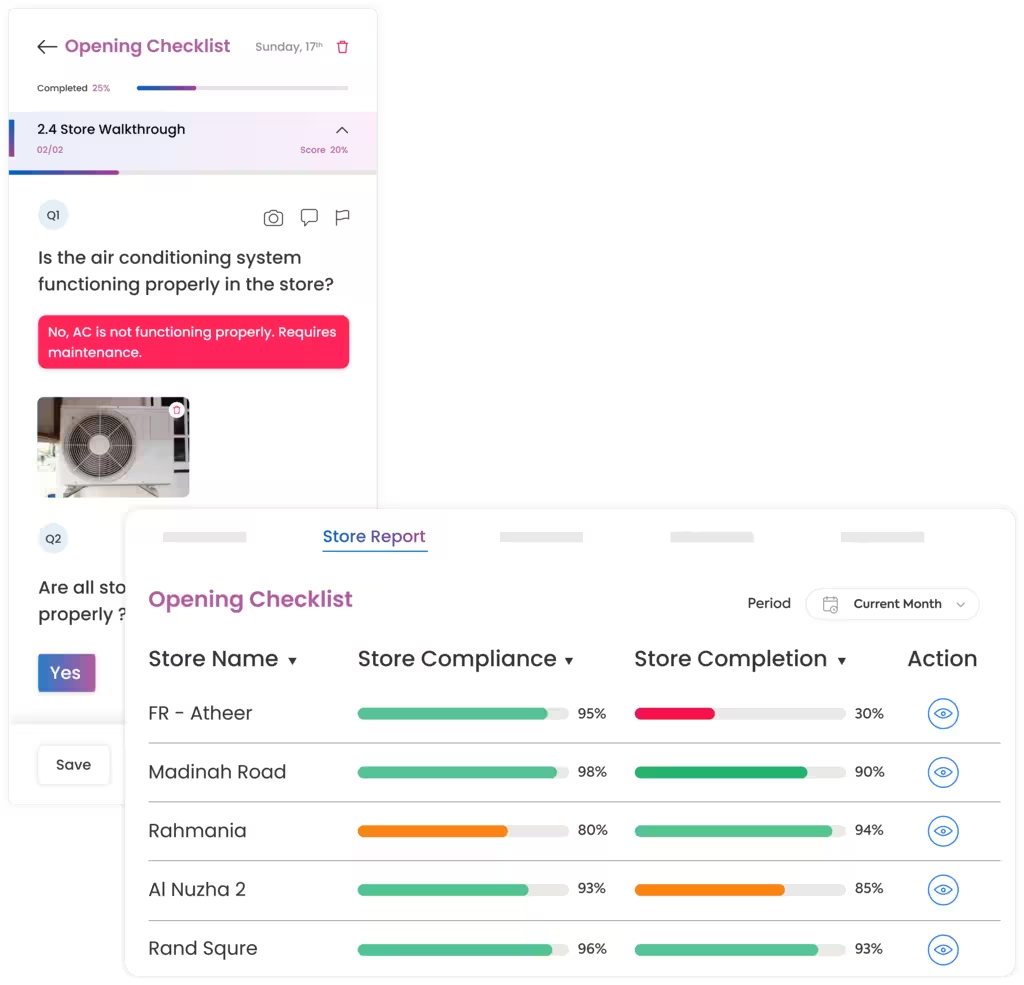
Store teams follow clear instructions and submit answers, photos, comments, timestamps, and location proof.
See pending, completed, overdue, and failed tasks and escalate exceptions to the right manager.
Compare locations, identify repeat misses, and improve processes using live completion data.
Standardize daily execution, verify completed work, respond to missed routines faster, and scale operations without increasing manual oversight.
Convert operating procedures into structured digital checklists so every store follows the same instructions, answer formats, and proof requirements.
Replace status calls and spreadsheet updates with live visibility into task execution by location, region, process, role, or deadline.
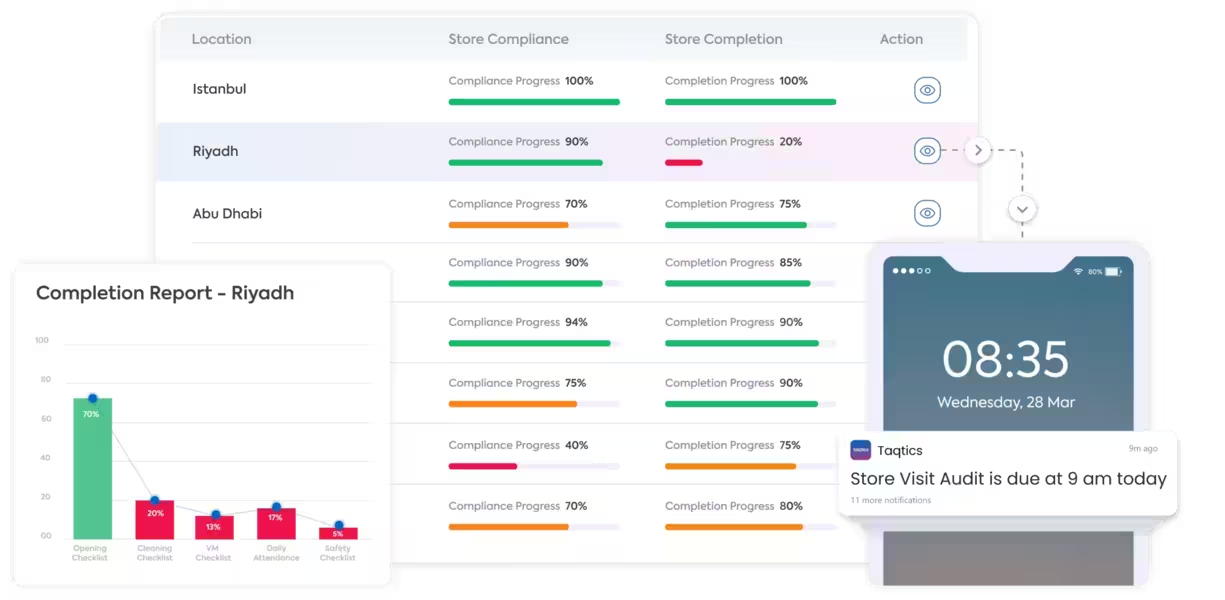
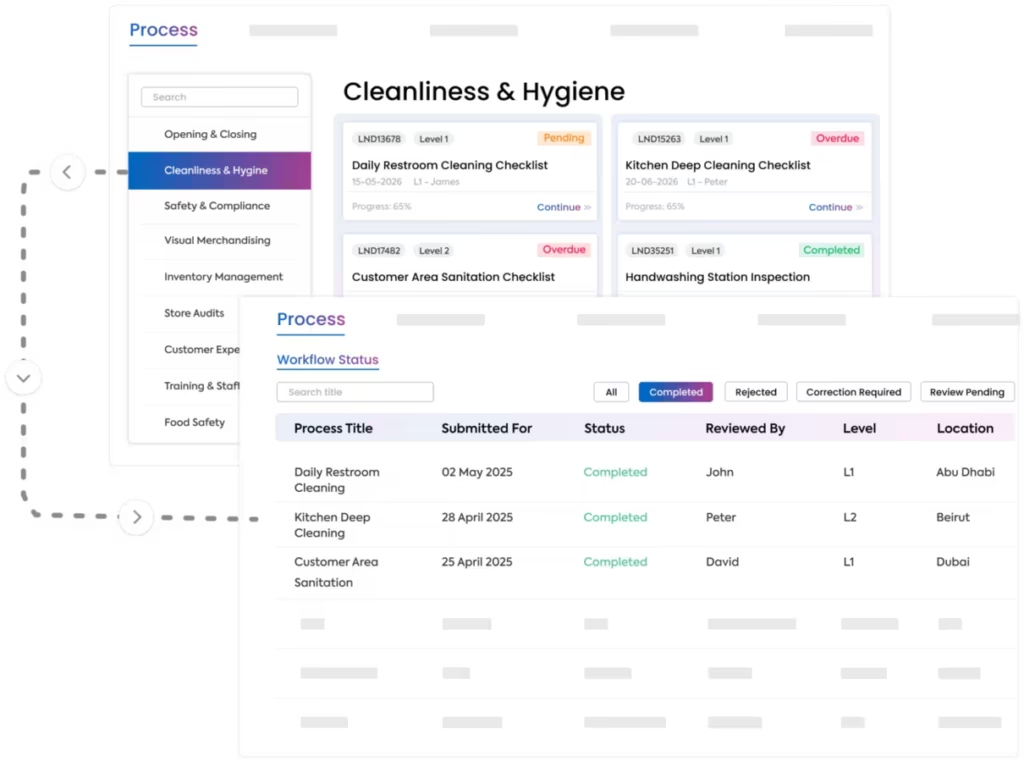
Publish a new checklist once, assign it across the relevant locations, and see adoption and execution without waiting for regional teams to relay instructions manually.
Replace paper forms, binders, spreadsheets, and repeated status follow-ups with reusable digital checklists and automatically consolidated reports.
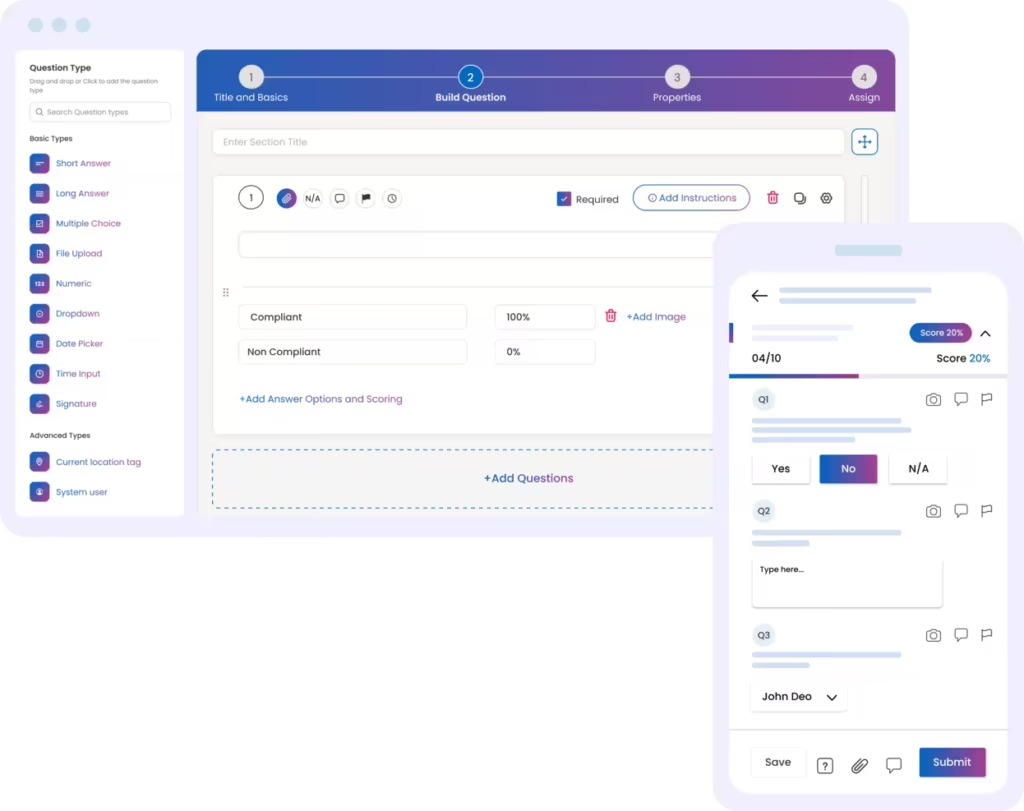
Use the same task and checklist platform while adapting schedules, responsibilities, proof rules, and reports to the way each store format operates.
Keep store teams aligned on opening routines, stock checks, visual merchandising, store readiness, cash controls, and daily SOP tasks with proof of completion and live visibility for HQ.
Explore Retail Task Management Restaurant & QSR OperationsDigitize kitchen hygiene, food safety, shift handovers, opening checks, closing checks, cleaning routines, and service readiness across every restaurant, café, or QSR outlet.
Explore Restaurant Task ManagementDownload practical checklist templates or digitize them in Taqtics. Customize questions, instructions, assignment rules, proof requirements, deadlines, and corrective actions for your operation.
Daily store routines for readiness, cash controls, inventory, hygiene, safety, and merchandising.
Outlet routines for kitchen hygiene, food safety, shifts, cleaning, opening, closing, and service readiness.
Hear from retail and restaurant teams using Taqtics to replace scattered processes, strengthen accountability, and improve visibility across every location.
Head of Information Technology, PT MAP Boga Adiperkasa
Felix shares how Starbucks Indonesia and MAP Group transformed café operations across 820 locations using Taqtics.
Head of HR and Learning, PizzaExpress
Vidya shares how PizzaExpress modernized daily operations, strengthened accountability, and made reporting faster across its restaurants.
Chief Digital Officer, Kisna
Ruvin shares how the team moved from paper, Excel, calls, WhatsApp, and scattered tools to one structured system for retail execution.
Checklist and task management software helps teams create digital SOP checklists, assign recurring tasks, automate reminders, capture proof of completion, and monitor execution across locations.
Yes. Tasks can be assigned by store, region, department, role, employee, shift, and frequency, including one-time, daily, weekly, and monthly schedules.
Teams can require live photos, comments, signatures, documents, timestamps, and location proof. These remain attached to the task submission for review.
A failed answer can create a corrective action with an owner, due date, priority, reminders, escalations, and closure proof connected to the original checklist response.
Yes. Dashboards and reports show completed, pending, overdue, and failed tasks by location, region, checklist, process, owner, and reporting period.
Yes. Retail teams can manage opening, closing, stock, VM, and store readiness tasks, while restaurant teams can run kitchen, food safety, cleaning, shift handover, and service-readiness routines.
Replace paper forms, WhatsApp follow-ups, and disconnected spreadsheets with one workflow for recurring checklists, mobile execution, proof, reminders, corrective actions, and live reports.