
Loss Prevention & Retail Security Audit Software for Multi-Location Teams
Run structured loss prevention audits, verify security controls, check cash handling, identify shrinkage risks, and track corrective actions across every retail location.
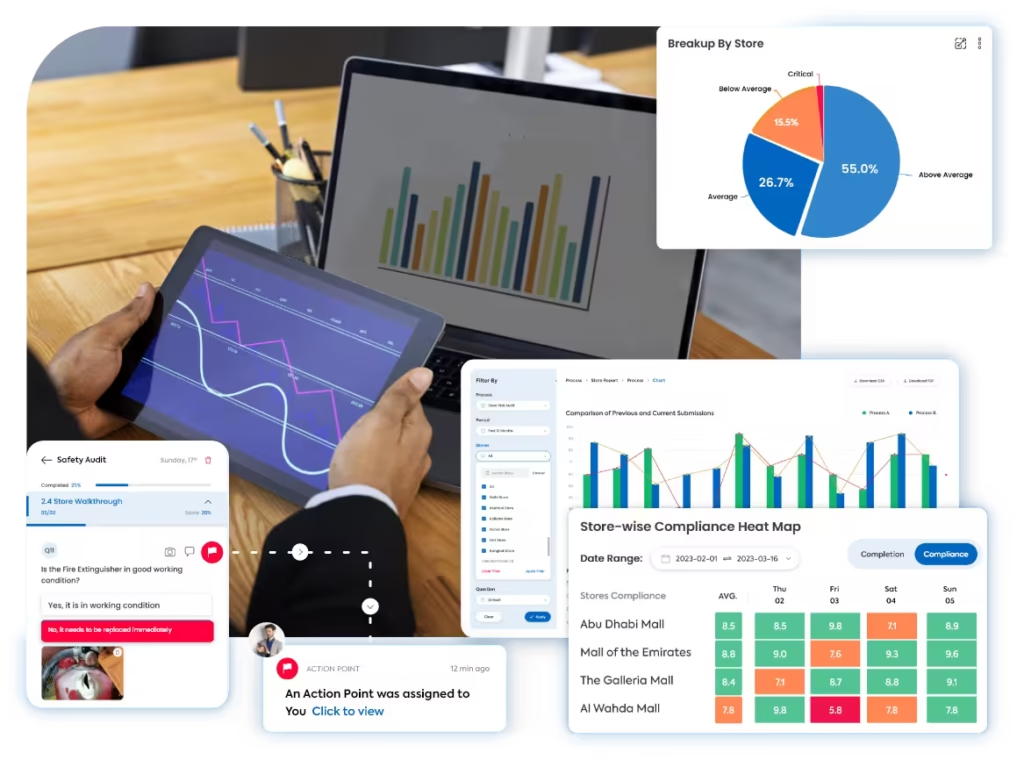
A clearer way to run every loss prevention audit
Taqtics brings security controls, cash checks, access reviews, stock protection, evidence, risk scoring, reports, and corrective actions into one connected workflow across every retail location.
Where manual loss prevention audits break down
Select a common gap to see why disconnected security reviews reduce trust, hide recurring risk patterns, and delay corrective action.
The same risk area is assessed differently across stores
Without clear instructions and objective risk scoring, auditors may evaluate CCTV, cash controls, access points, and stock protection differently.
HQ cannot confidently verify the security finding
Paper reviews and chat images often lack live photo proof, timestamps, comments, location evidence, and a reliable link to the exact audit question.
Repeat shrinkage and control gaps remain difficult to see
Manual consolidation makes it harder to compare weak stores, recurring security gaps, cash-control issues, and repeated non-compliance across regions.
Security risks remain open after the audit
When owners, deadlines, escalations, and closure proof sit outside the audit workflow, unresolved risks can remain open without clear accountability.
What a Loss Prevention Audit Should Cover
Move through five risk-control areas to review surveillance, access, cash handling, transaction controls, stock protection, incident management, and corrective action.
CCTV readiness and controlled store access
Confirm that surveillance systems and access routines protect critical areas and restricted spaces.
Cash handling and high-risk transaction controls
Review whether payment, refund, void, discount, and cash-transfer routines follow approved controls.
High-value product and stockroom protection
Verify that high-value stock, restricted products, and backroom inventory are protected and traceable.
Goods movement, incidents, and exception reporting
Check whether stock movement and security exceptions are verified, documented, escalated, and closed.
Emergency readiness and corrective action control
Review store-level safety readiness and ensure every identified risk becomes an accountable action.
How Taqtics Digitizes Loss Prevention Audits
Set the standard once, guide risk reviews in-store, verify every observation, calculate security scores, and convert failed checks into accountable corrective action.
Make Every Loss Prevention Observation Easier to Trust
Verify the location, time, evidence, risk score, and follow-up behind every security finding. All supporting controls remain visible for quick review.
Are all CCTV cameras functional and covering critical areas?
Field is requiredAre cash floats, till variances, and handovers documented correctly?
Is stockroom access restricted to authorized staff?
Validated observations
Confirm where, when, and with what proof each loss prevention response was submitted.
- Geo-fenced and time-bound submissions
- Live photos, comments, and risk-area evidence
- Timestamped location-level audit trail
Standardized scoring
Apply the same instructions, evidence rules, answer types, and risk scoring across stores.
- Question-level instructions and objective answers
- Critical items, risk weights, and conditional follow-ups
- Automated loss prevention score calculation
Corrective actions
Assign failed security findings and track every risk action through to closure.
- Owners, priorities, and deadlines
- Escalations for overdue actions
- Closure proof and status tracking
Connect audits with corrective action tracking software so security gaps and shrinkage risks are not left unresolved.
Loss Prevention Reports That Show Store Risk Areas
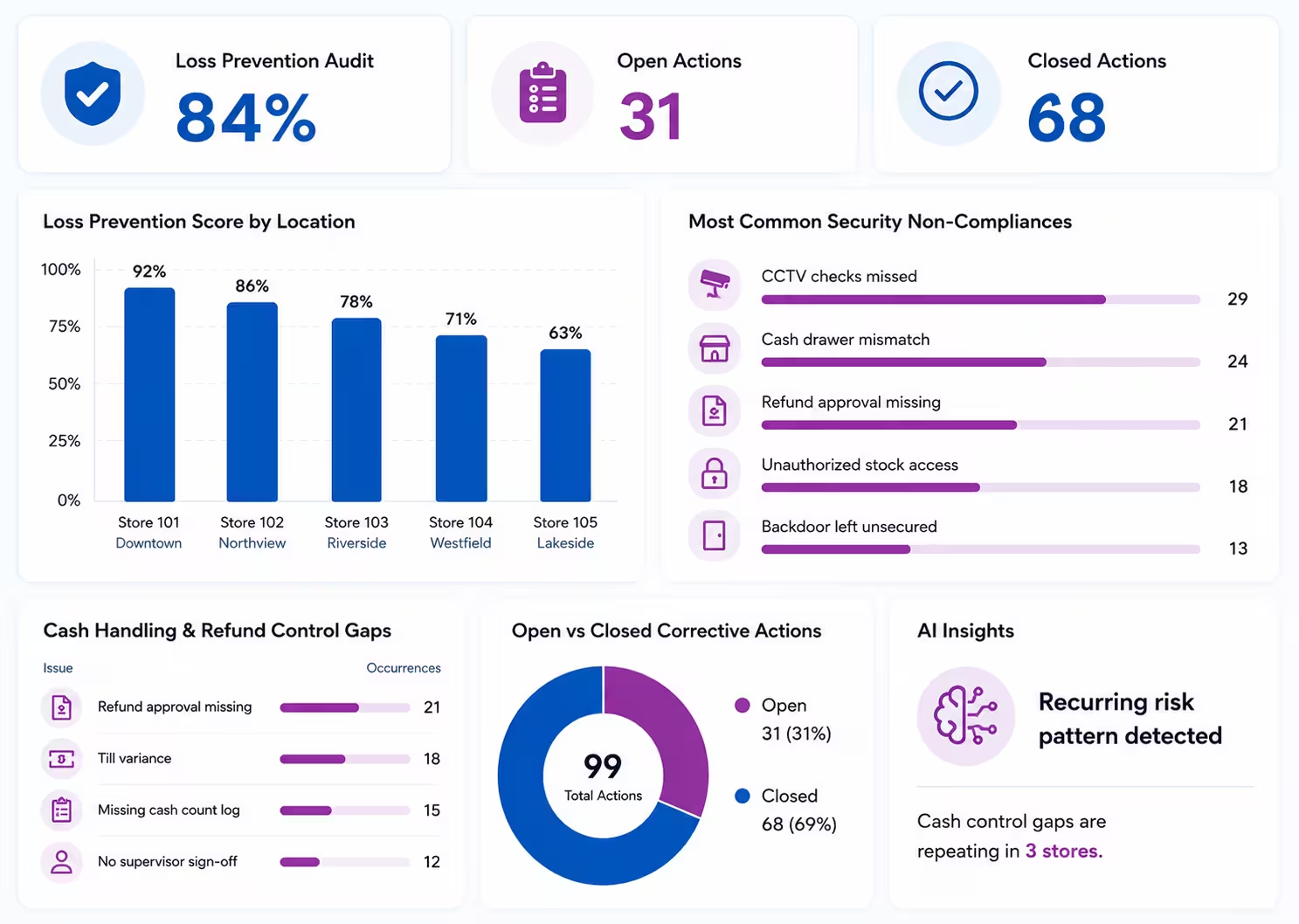
Turn loss prevention audit data into clear visibility across high-risk stores, recurring security gaps, cash controls, corrective actions, and region-level risk trends.
View all report insights
- Loss prevention score by location
- High-risk stores by audit score
- Most common security non-compliances
- Cash handling and refund control gaps
- CCTV, access control, and stock protection issues
- Open vs closed corrective actions
- AI-based recurring pattern detection from historical audit data
Start With a Loss Prevention Audit Checklist
Define CCTV checks, cash controls, access rules, high-value stock reviews, evidence requirements, risk scoring, and corrective action triggers inside Taqtics.
See How Retail Teams Improve Store Control
Explore how multi-location retail teams use Taqtics to digitize audits, SOP checks, issue tracking, corrective actions, and store visibility.

Solitario Lab Grown Diamonds
How Solitario improved audit coverage, standardized SOP checks, tracked issues, and scaled compliance across 50+ stores.


Global Sportswear Retail Brands
How Nike and Under Armour stores operated by GMG standardized audits, SOP routines, visual merchandising, issue resolution, and asset tracking.


Global Supermarket Chains
How supermarket teams digitized supervisor checklists, store audits, L1/L2 reviews, corrective actions, inventory checks, and leadership dashboards.
Loss Prevention Audit Software Questions
What is loss prevention audit software?
Loss prevention audit software helps retail teams inspect shrinkage risks, store security, CCTV readiness, cash controls, access controls, high-value stock protection, and corrective actions across stores.
How does Taqtics verify loss prevention audit observations?
Taqtics supports geo-fencing, time-bound submissions, live photo capture, comments, timestamps, and location-level audit trails to make loss prevention findings easier to verify.
Can Taqtics be used for store security audits?
Yes. Taqtics can be configured for store security audits, CCTV audits, access control checks, cash handling reviews, incident checks, and high-risk stock controls.
Can non-compliances create corrective actions automatically?
Yes. Failed loss prevention checks can automatically create corrective actions with owners, deadlines, priorities, escalations, and closure proof.
Can Taqtics generate loss prevention audit reports?
Yes. Reports can include LP scores, risk observations, photo evidence, non-compliances, corrective actions, repeat gaps, weak stores, and region-wise risk insights.
Can Taqtics help identify repeat shrinkage risks?
Yes. Taqtics dashboards and historical audit data can help teams identify recurring risk patterns, repeat security gaps, delayed actions, and stores requiring management attention.
Make Every Loss Prevention Audit Reliable and Actionable
Digitize LP audits, validate risk observations, generate reports instantly, and close corrective actions faster across every retail location.