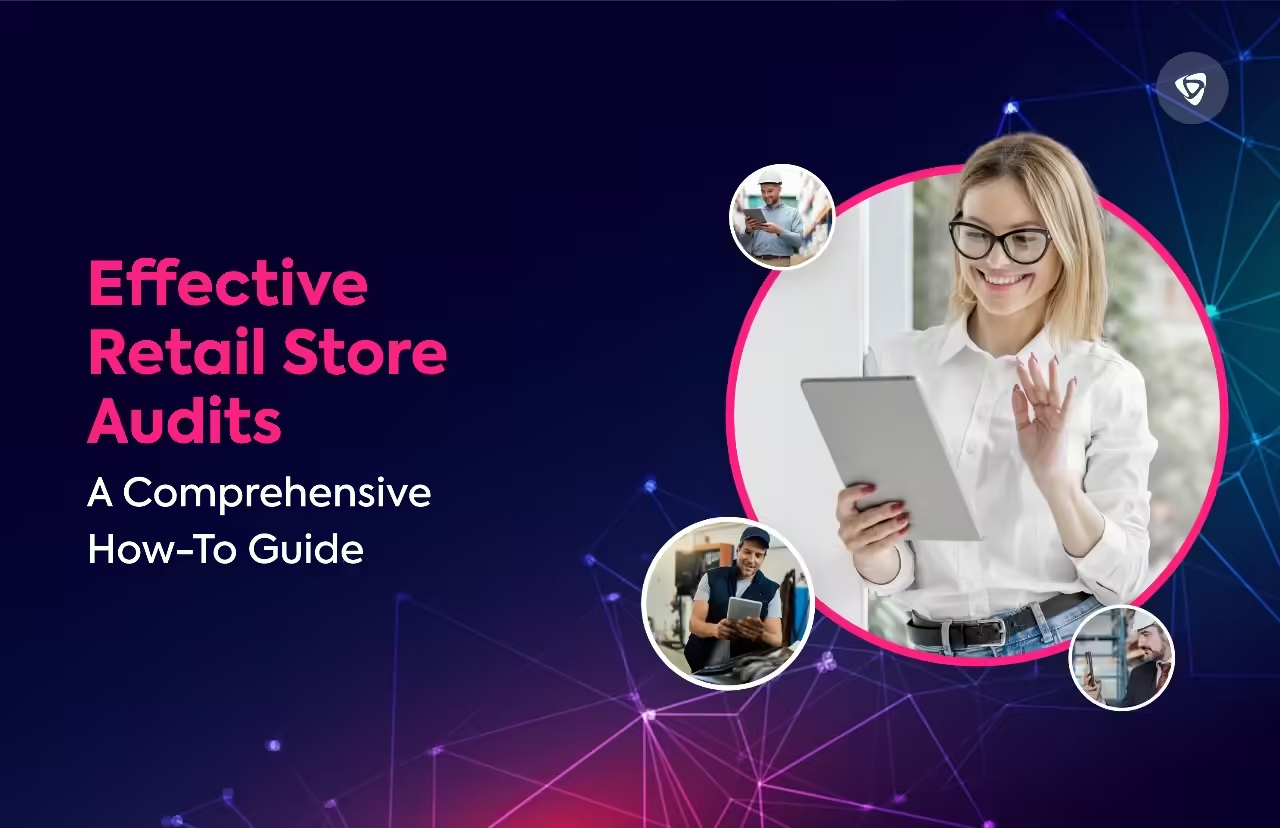
Effective Retail Store Audits: A Comprehensive How-To Guide
Retail store audits are useful for tracking performance whether your retail company has one or multiple locations. Retail store audits provide significant insights into your retail business. It does that by checking the efficiency of your displays, managing your inventory, ensuring you present the best version of your store, and confirming that inventory management activities are accomplished on time.
Additionally, store audits now play a new role for retail firms and provide more information than ever due to technological improvements. The work, however, can appear challenging to retailers who are unfamiliar with store audits.
Nonetheless, let’s understand how store audits are performed and what are the advantages and disadvantages of it.
What is a retail store audit?
A retail store audit is a systematic and formal way of inspecting the different aspects of your retail store. Conducting retail store audits helps to gain insights about different things. Let’s look at them.
- Volume of sales and stock levels (stock on your shelves as well as back stock)
- Damaged goods
- Analyses of in-store displays and visual merchandising
- An overview of the activities of your rivals
- Compliance with planograms (shelf location, facings count, stock keeping unit (SKU) count, and missing/inaccurate shelf tags)
- Examination of your pricing approach
- Product location within the store
A store audit uses data to assess the state of your retail location. While revenue may be some retailers’ main success metric, regular store audits provide a wealth of additional analytics that help portray a broader view of your store’s condition.
Vital phases in retail store audit
A third-party auditor conducts the audit, reviewing all aspects of the business, including marketing materials and financial transactions. The audit process comprises five important phases.
- Planning the objectives: Take your time to plan and prepare a comprehensive audit process to ensure you collect the right data.
- Selecting the team: Find individuals with experience in auditing and knowledge of the retail industry.
- Setting the goals: Establish specific, measurable, achievable, relevant, and time-bound (SMART) goals for the entire audit process.
- Conducting the audit: Conduct the audit process where the team will gather data and information about the store through interviews, observations, and analysis of documents and reports.
- Reviewing and preparing the report: Based on the data and information gathered during the audit process, build a report of findings with a strategic improvement plan.
Retail managers are responsible for making sure that staff members are informed of the changes made in the audit through management training sessions.
Types of retail store audit
There are different types of retail stores and let’s look at them.

1. Loss prevention audit
The main purpose of loss prevention audits is to reduce the chances of losses like theft, vandalism and wastage. These audits which normally take place at a certain time of the year help us to establish unnecessary costs and the best strategies to avoid expensive revenue leakage.
2. Competitive analysis audit
Competitors apply other various strategies in an attempt to fully appreciate the value of their products. Through evaluating its merchandise location and displays, the brand can determine the effectiveness of these approaches and develop better in-store tactics.
3. Merchandising audit
As the name implies, this involves examining the arrangement of the products within the store, the appropriate lighting, the distribution of shelf space, the signage, the pricing, whether the product appears at first sight, and the general visual appeal of the area.
4. Health and safety audit
Health and safety audits or security audits are an additional type of retail audit that assesses a store’s compliance with legal requirements and guidelines for handling products. Specific workplace hazards are also identified periodically.
5. Brand image audit
A store’s ambience, lighting, design, and even interior layout can all influence how customers view a brand. It serves as a type of overview of all the other audits, that’s why extra care must be taken here to maintain the integrity and dependability of your brand.
6. Consumer satisfaction audit
In the end, the primary thing is the customer, how they see your offering, how much they love it, and if they would purchase additional product. The role of the shop in showcasing your product to the customer, the efficiency of your product representatives, and the comfort at which you obtained feedback from retailers all influence this kind of audit.
How to conduct a retail store audit efficiently?
Let’s understand in detail how retail stores can conduct retail stores efficiently.

Step 1. Set clear goals and criteria.
First of all, you must identify what you would like to accomplish, and setup a system that measures the outcomes before commencing your store audit. With the help of proper certifications, you ensure that your store is up-to-date with the governmental recommendations, policies and rules. You could also test your website’s merchandising, marketing, sales, and stocking. In accordance with your targets, you have to create a list of specific, measurable, achievable, relevant, and time-bound (SMART) points for the needs of your store.
Step 2. Design audit criteria.
It is advisable to select the specific inquiries you want to pose and appropriate response formats for store audits. Avoid asking pointless questions. Ask questions about competitor activities, retailer compliance, and brand performance, as these will analyze your current performance and help you improve for the future.
Step 3. Choose the right tools and methods.
The next step is creating a plan for collecting and presenting orders for your store audit. A specific tool and method, such as a checklist, survey, interview, observations, images, videos, or software, can be used to analyze the data. The choice is up to you and is based on what’s available, depending on your choices, time, money, and resources. A careful selection of user-friendly, reliable, accurate, and standardized devices and protocols is most beneficial.
Step 4. Train and communicate with your staff.
The staff will participate in your store audit as auditees or auditors. As a result, you must effectively train and communicate with them. Each employee needs to have their roles and responsibilities assigned, and you must explain the objective, parameters, and methodology of the store audit. In addition to giving them the required resources and direction, you must address any questions or concerns that they might have.
Step 5. Conduct the store audit systematically.
Once you are ready and have gathered the necessary information, proceed carefully to conduct the store audit with extreme caution. The first step will be to select the time for the audit and get rid of the time intervals when it’s too busy or not too crowded. You have to stick to the standards you have created and collect data at all stages of the process in a professional and unbiased way. Recording of the results and data, their precision, and concision are important, especially when it is about variations, mishaps, and successes.
Step 6. Gather data and photos.
Make sure the representatives collect information that directly aligns with the standards and goals you define. Several survey questions are important to the company’s objectives, which makes them mandatory. Including pictures with the retail audits is a great way to show exactly what’s happening in the stores at any given time and improve accountability and compliance.
Step 7. Analyze and report the results
After conducting the store audit, it is necessary to analyze and document the findings. Data evaluation and comparing the results to the standards and benchmarks you came up with is a must. For establishing your store, figure out if it has any gaps, weaknesses, or strengths, and any opportunities and threats. Along with this, you also need to make your recommendations, suggest actions, and solutions to areas that need to be improved. Visual layouts such as charts, graphs, tables, and others could be used to make the report steadier, easier, and more professional.
Step 8. Implement and follow up on the actions.
The final step is to implement your suggestions and monitor them according to the store audit’s findings. You must assign tasks and deadlines to each employee and inform both your clients and employees of the actions. In addition to giving your staff support and feedback, you need to monitor their actions’ impact and progress.
Step 9. Repeat the Process.
After carrying out a few store audits, you can adjust the retail audit process to fit your business in particular. The company’s flexibility to adapt to rapidly changing retailing trends may be achieved by regular auditing.
Numerous steps are involved in retail auditing. Manual labor can be laborious and slow down the inspection process. Store audit management software is essential for efficient and successful store management.
Common mistakes to avoid
Let’s look at some common mistakes that retail businesses should avoid at all costs while conducting retail store audits.
- Comprehensive auditing process.
A single audit should not cover too many activities at once, as this will make it difficult to address important issues adequately. Therefore, carefully evaluate your company’s requirements and plan one audit at a time.
- Carrying out manual audits and self-assessments.
The retailer has the option to perform manual auditing and self-assessment which are less costly, but they are often inefficient and inaccurate. Manual audits require employees to fill out forms and input data in excel spreadsheets, whereas self-assessments allow managers to supervise employees in developing their assessment skills. There is no accountability in performance of the staff and biases can also interfere.
Eliminate manual audits and consider using an external auditing company or mystery shopper study for objective evaluation to improve store efficiency.
- Not properly documenting the shop retail audit.
Preparing your store for an audit inappropriately or providing inadequate documentation of the results may distort the audit findings and lower revenue.
Before the audit, begin by labeling your store’s inventory and accessories clearly to prevent this. You should also request that the auditors take thorough notes and photos to ensure that everyone agrees to analyze the results and set action items appropriately.
- Not Keeping Track of Action Items
Comprehensive store audit can be an important tool for localizing and fast-tracking problems within the shop. However, the audit may be a lost effort in case of non-compliance with audit suggestions. In order to prevent this, respond to each issue immediately, assign tasks and create a process to solve every action item. For better performance, your monitoring solution must always alert and track to follow up on the tasks that have not been acted upon.
Why do you need to make it digitized?
Let’s examine a few common reasons for digitizing the retail auditing procedure.
- Reduces human errors: Digital store audit services not only manually collect data such as product information but also store it and securely record those visits on any device.
- Provides customizable audit forms on demand: Digital questionnaire forms in retail audits are customizable, allowing brands and retailers to customize data collection and reporting, and guide field teams.
- Offers real-time data for quick and timely decision-making: Digital solutions provide actual shop and retail market data, which is compiled in real-time and presented as customized reports.
- Digitize data for easy storage and retrieval when needed: The collected data is synchronized with system during synchronization process that guarantees information security and avoid data loss at environment influences.
- Effective communication between departments: Smart devices are transforming retail audit software by building up a bridge between departments and creating efficient information exchange. The built-in messenger in this software provides an interface for people to interact with each other by exchange, reporting problems, and receiving news related to work, which means that other communication tools, such as messaging or emailing software are longer need to be used.
- Provide reliable pictures and videos: The best retail audit software should feature real-time photo capture, which provides clear evidence of store and product appearance, sales compliance, advertising display compliance, and shelf location utilization, which drives successful retail business.
- Manage employee routes and check employee progress easily: As a feature of all-inclusive retail audit solutions, staff location tracking plays an important role. Such a technology allows inventory management workers to stay on assigned stores. The software tracks the employee workflow during the day to keep operations on-schedule and tasks performed at the right place and on time.
Digital transformation is becoming a trend in every business industry, and retail store audit software is helping shop auditing to be a simple and smooth process. Let’s now highlight why choosing such software is a smart move.
Advantages of retail store audit software
The software has multiple benefits, which makes it one of the useful tools due to its role in retail auditing. Let us cover the benefits of the audit software more in depth.
Cooperation among channel partners
Brand managers collaborate with retailers when they decide to conduct a store audit to assess the commitment of retailers to the partnership agreement. It may involve interior space, product location, signs, and cleanliness requirements. This decision proves to be a right choice for the business tasks.
Precision in data collection
Retail audit software aims to gather customer data, archive it, and use it to identify strengths, solve errors, and strengthen weaknesses. It benefits brands by anticipating errors, avoiding risks, and outperforming competitors.
Boost cost savings and sales
Effective auditing can eliminate the problems of occurrence, increase sales, and reduce costs on damage control measures. Addressing issues such as inventory tracking and customer service can help to improve inventory management and lead to fewer recalls.
Improved customer experience
Doing a thorough audit of your channel partners, including retailers and B2B clients, will enhance the inventory management, merchandising, promotions, and products effectiveness. It enables their businesses to sell more and to target the demand, thereby gaining additional trustworthiness from the retailers.
Conclusion
To put it simply, retail audits are essential to your brand’s ability to increase sales, market share, and in-store customer satisfaction. They also guarantee that retailers are adhering to your merchandising guidelines.
However, manual audits can result in some management issues, such as ruined documents, human errors, and a delay in transferring data from the fields to decision-makers. The best way to eliminate these preventable problems is to use a field management app.
The Taqtics retail operations management software simplifies the process of conducting store audits. Businesses can create, schedule, assign, and conduct store audits. The auditors can upload images and capture observations through a mobile app and reduce the time spent on report generation with customizable PDF reports. Take a demo today and discuss your requirements with our experts.
About the Author