
Work Progress and Quality Inspection Software for Better Project Control
Standardize progress and quality inspections across construction sites, work packages, contractors, and project stages. Verify completed work, workmanship, drawings and specifications, capture evidence, raise defects, assign rework, and track approvals from one connected workflow.
A Clearer Way to Verify What Is Complete and Whether It Meets the Standard
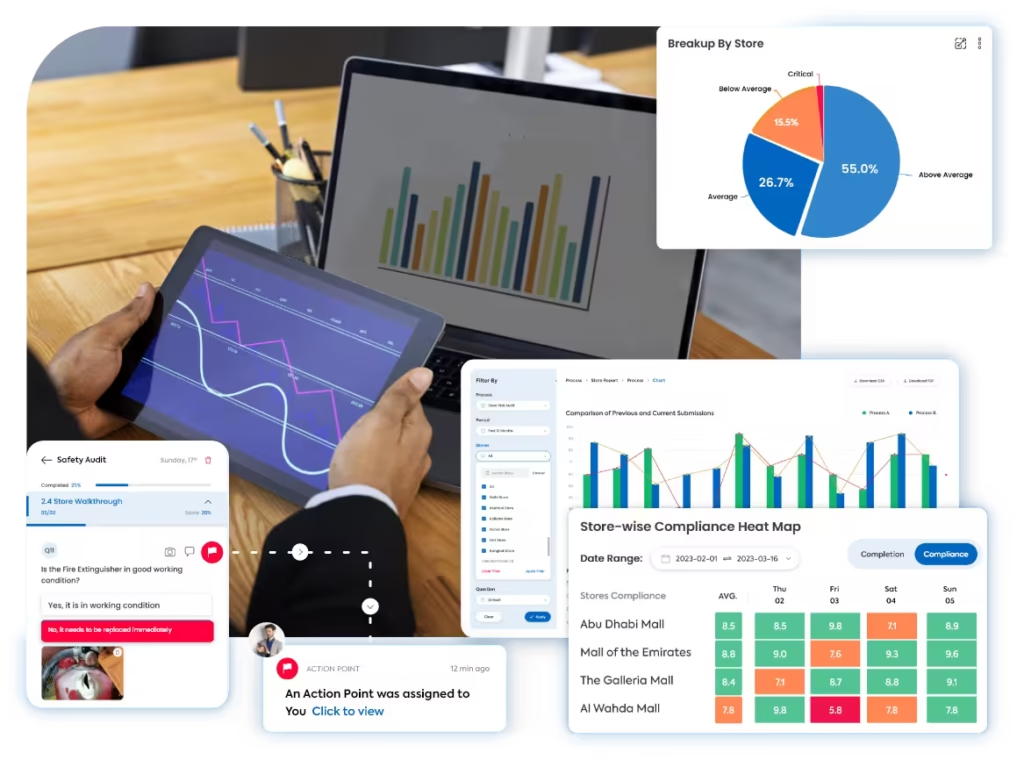
Taqtics connects work-package inspections, drawings and specifications, mobile evidence, quality scoring, snag and NCR tracking, corrective actions, approvals, and project reporting across sites and contractors.
Where Manual Progress and Quality Inspections Break Down
Select a common gap to see why spreadsheets, photos, paper inspection requests, and disconnected snag lists reduce project visibility.
Without location-linked evidence and inspection status, project teams can struggle to confirm whether a work package is genuinely complete and ready for the next stage.
If drawings, specifications, tolerances, sample standards, and acceptance criteria are not embedded into the inspection, scoring becomes subjective.
Disconnected records make it harder to know which defect belongs to which area, drawing, contractor, work package, severity, or deadline.
When contractor updates, reinspection, consultant approval, and final sign-off are managed manually, unresolved quality issues can move downstream.
What a Work Progress and Quality Inspection Should Cover
Move through five control areas to verify completed quantities, workmanship, specifications, materials, testing, defects, rework, and stage approvals.
Confirm What Work Is Actually Complete
Compare planned work, inspected work, accepted work, and remaining activities by project location and work package.
Verify Workmanship Against the Required Finish
Check installation quality, alignment, dimensions, finish, tolerances, protection, and visible defects.
Match Site Work to Approved Drawings and Specifications
Make drawing, specification, tolerance, method, and approval references part of the inspection itself.
Confirm Materials and Required Tests Support Acceptance
Link the installed work to approved materials, inspections, tests, certificates, and measurable results.
Control Snags, NCRs, Rework, Reinspection, and Approval
Make sure every quality failure has an owner, correction, proof, reinspection, and final decision.
How Taqtics Digitizes Progress and Quality Inspections
Build project inspection standards, assign by work package, verify progress and workmanship on mobile, raise defects, and approve corrected work before the project moves forward.
Make Every Progress and Quality Finding Easier to Verify
Verify the project, zone, work package, contractor, drawing, measurement, evidence, defect severity, rework owner, and approval status behind every inspection.
Does the completed blockwork match the approved drawing, line, level, and specified tolerance?
Photo and measurement requiredAre joints, openings, interfaces, and workmanship free from visible defects requiring rework?
Is the inspected area complete and ready for the next construction activity?
Validated observations
Confirm what was inspected, where it was installed, and what evidence supports progress and acceptance.
+
Validated observations
Confirm what was inspected, where it was installed, and what evidence supports progress and acceptance.
- Project, floor, zone, unit, work package, contractor, and activity context
- Timestamped inspection with inspector, reviewer, and stage details
- Photographs, comments, measurements, test results, and supporting evidence
- Drawing, specification, RFI, material, sample, or method-statement references
Standardized scoring
Apply the same acceptance criteria, tolerances, severity rules, and evidence requirements across project teams.
+
Standardized scoring
Apply the same acceptance criteria, tolerances, severity rules, and evidence requirements across project teams.
- Trade-specific instructions and objective answer formats
- Required measurements, photographs, test results, and document references
- Critical, major, and minor quality-failure classifications
- Weighted scoring with automatic quality and completion calculations
Corrective actions
Turn failed quality checks into accountable snag, NCR, rework, reinspection, and approval workflows.
+
Corrective actions
Turn failed quality checks into accountable snag, NCR, rework, reinspection, and approval workflows.
- Owners, priorities, deadlines, reviewers, and overdue escalation
- Routing to contractors, QA/QC, engineers, consultants, supervisors, or project managers
- Rework instructions, NCR response, replacement, repair, or retesting requirements
- Closure evidence, reinspection, rejection, reopening, reviewer approval, and final acceptance
Progress and Quality Reports That Show Where Delivery Is Slipping
Turn inspection data into visibility across planned versus accepted work, contractor quality, defects, NCRs, rework, stage approvals, overdue actions, and recurring workmanship issues.
View all report insights +
- Overall project quality score
- Planned versus verified progress
- Accepted versus inspected work
- Progress by project, floor, zone, and work package
- Quality score by contractor and trade
- First-pass acceptance rate
- Workmanship defect trends
- Drawing and specification non-compliance
- Material-related quality findings
- Failed inspection and test results
- Open snags and punch-list items
- Open NCRs
- Critical, major, and minor quality failures
- Rework actions by contractor
- Open versus closed corrective actions
- Overdue rework and reinspections
- Rejected closure submissions
- Average defect-closure time
- Stage-approval status
- AI-detected recurring workmanship and schedule-risk patterns
Start With a Ready-to-Use Work Progress and Quality Inspection Checklist
Define progress checks, workmanship criteria, drawing references, measurements, test evidence, snag rules, NCR severity, and reinspection requirements inside Taqtics.
Work Progress and Quality Inspection Software Questions
What is work progress and quality inspection software?+
It helps project teams verify completed work, workmanship quality, drawing and specification compliance, defects, rework, and approvals through one digital inspection workflow.
Can progress and quality be checked in the same inspection?+
Yes. Teams can capture percentage complete, completed quantities, readiness for the next activity, workmanship checks, measurements, photographs, defects, and acceptance status together.
Can inspections be assigned by project, floor, zone, and work package?+
Yes. Inspections can be assigned by project, location, contractor, trade, work package, unit, activity, inspection stage, reviewer, and deadline.
Can drawings and specifications be referenced during inspection?+
Yes. Inspection questions can reference approved drawings, specifications, RFIs, method statements, material approvals, samples, and project-specific acceptance requirements.
Can inspectors capture measurements and photographs?+
Yes. Questions can require photographs, comments, dimensions, levels, test values, document references, and other evidence before submission.
Can failed inspections create snag or NCR actions?+
Yes. Failed quality checks can trigger snag, punch-list, NCR, rework, retest, or corrective-action workflows with owners and deadlines.
Can corrected work be reinspected before closure?+
Yes. Contractor closure evidence can be reviewed, rejected, reopened, or sent for reinspection and final approval before the finding is closed.
Can contractor quality performance be compared?+
Yes. Reports can compare first-pass approval, quality scores, defect rates, NCRs, rework, closure time, and repeat failures by contractor or trade.
Can verified progress be compared with planned progress?+
Yes. Teams can monitor planned, reported, inspected, accepted, and remaining work to identify where delivery or acceptance is falling behind.
Can Taqtics identify recurring workmanship issues?+
Yes. Historical inspection data can surface repeated defects by contractor, trade, work package, area, quality category, and corrective-action pattern.
Make Every Progress and Quality Inspection Reliable and Actionable
Verify completed work, standardize quality checks, capture defects, assign rework, track reinspections, and improve project delivery across every construction and field operation.