
Site Safety Inspection Software for Safer Construction and Field Operations
Standardize site safety inspections across construction projects, field operations, contractor work areas, and active job sites. Identify hazards, verify safety controls, capture evidence, assign corrective actions, and monitor site safety performance from one connected workflow.
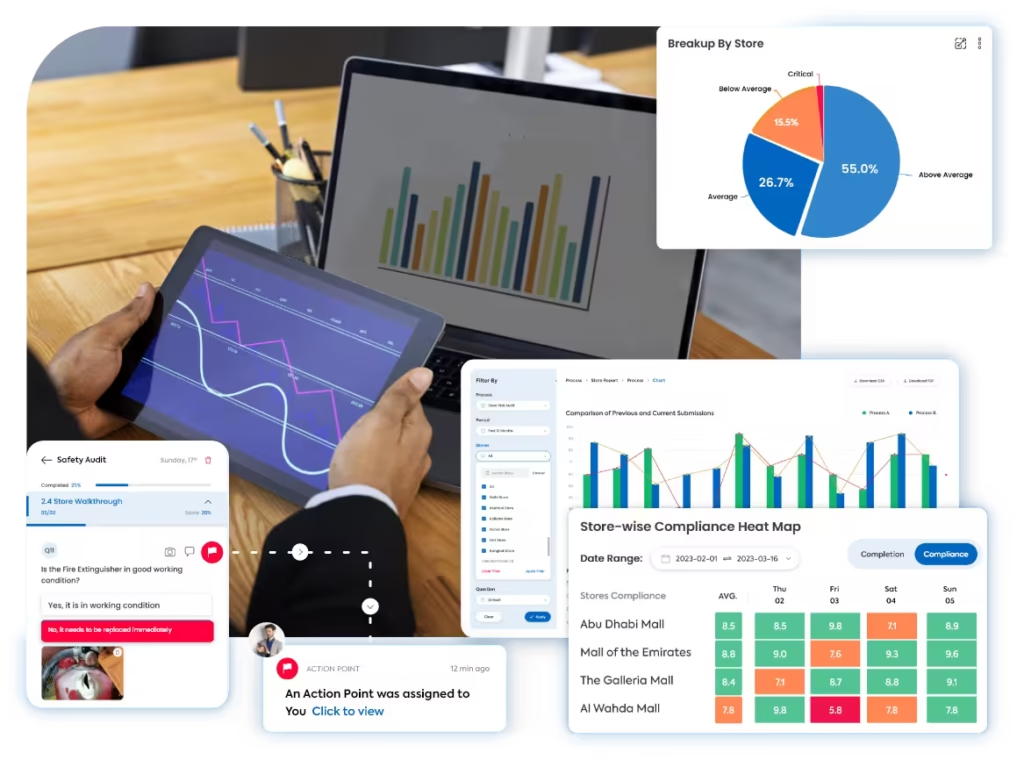
A Clearer Way to Inspect Every Construction and Field Work Area
Taqtics connects safety inspection templates, mobile observations, photographs, hazard classification, scoring, corrective actions, and reports across projects, zones, contractors, and field teams.
Where Manual Site Safety Inspections Break Down
Select a common gap to see why paper forms, spreadsheets, messages, and disconnected safety records weaken hazard visibility and delay action.
Without common standards, inspectors and contractors can interpret PPE, access, equipment, work-at-height, excavation, and barricading requirements differently.
Paper reports often separate the finding from its project, work zone, timestamp, photograph, contractor, work activity, and responsible inspector.
Unsafe scaffolding, exposed electrical points, missing barricades, unprotected edges, or excavation risks can remain in spreadsheets or chat groups instead of reaching responsible teams immediately.
When follow-up happens outside the inspection workflow, ownership, deadlines, evidence, reinspection, approval, and repeat-hazard tracking can easily be missed.
What a Site Safety Inspection Should Cover
Move through five safety areas to verify access, housekeeping, PPE, work at height, equipment, electrical controls, excavation, lifting, and other high-risk activities.
Keep Work Areas Accessible, Organized, and Free From Basic Hazards
Inspect worker access, vehicle routes, housekeeping, storage, emergency access, and movement through active work areas.
Verify That Workers Use the Required Protective Controls
Confirm personal protective equipment, worker readiness, supervision, training, and safe-work expectations before and during site activity.
Control Fall Risks and Restricted Work Areas
Inspect scaffolds, ladders, platforms, edge protection, harness systems, floor openings, and barricaded work zones.
Inspect Equipment, Temporary Power, and Tools Used on Site
Verify machinery condition, operator controls, temporary electrical systems, portable tools, and equipment safety before use.
Verify Controls Around Excavation, Lifting, and Other High-Risk Work
Check permits, exclusion zones, excavation stability, lifting arrangements, hot work, and immediate safety controls around high-risk tasks.
How Taqtics Digitizes Site Safety Inspections
Set site safety standards once, guide inspectors through every work area, capture evidence, score risk automatically, and convert hazards into accountable corrective actions.
Make Every Site Safety Finding Easier to Verify
Verify the project, work area, hazard, inspection time, contractor, evidence, severity, responsible owner, and closure status behind every safety observation.
Are all workers in the active work zone wearing the required PPE?
Critical check · evidence required for failureAre walkways and access routes free from material, debris, and trip hazards?
Are open edges and restricted work areas properly barricaded?
Validated observations
Confirm where the hazard was found and preserve the evidence supporting every safety observation.
+
Validated observations
Confirm where the hazard was found and preserve the evidence supporting every safety observation.
- Project, site, zone, and exact work-area context
- Timestamped inspection with auditor and contractor details
- Photographs, comments, and supporting evidence
- Hazard, permit, equipment, or work-activity references
Standardized scoring
Apply the same site-safety instructions, risk classifications, and scoring rules across inspectors and projects.
+
Standardized scoring
Apply the same site-safety instructions, risk classifications, and scoring rules across inspectors and projects.
- Site-specific safety instructions and objective answer formats
- Compliant, Non-compliant, and N/A response rules
- Critical, major, and minor hazard classifications
- Weighted scoring with automatic site safety calculation
Corrective actions
Assign site hazards and track each action through evidence-backed closure.
+
Corrective actions
Assign site hazards and track each action through evidence-backed closure.
- Owners, priorities, deadlines, and overdue escalation
- Routing to contractor, site supervision, EHS, engineering, or project management
- Immediate control, barricading, isolation, repair, retraining, or stop-work requirements
- Closure evidence, reviewer approval, and reinspection when required
Connect safety inspections with corrective action tracking software so critical hazards are not left unresolved.
Site Safety Reports That Show Where Project Risk Is Increasing
Turn inspection data into visibility across work areas, contractors, critical hazards, PPE compliance, high-risk activities, corrective actions, and repeat safety findings.
View all report insights +
- Overall site safety score
- Score by project and location
- Contractor safety performance
- Performance by work zone
- PPE compliance
- Housekeeping findings
- Access-route hazards
- Work-at-height findings
- Scaffolding issues
- Electrical safety gaps
- Equipment defects
- Excavation risks
- Barricading failures
- Lifting-operation findings
- Critical, major, and minor hazards
- Open versus closed corrective actions
- Overdue actions
- Repeat hazards
- Average closure time
- AI-detected recurring safety patterns
Start With a Ready-to-Use Site Safety Inspection Checklist
Define work areas, safety controls, hazard categories, critical checks, evidence requirements, severity levels, scoring, and corrective-action triggers inside Taqtics.
Site Safety Inspection Software Questions
What is site safety inspection software?+
Site safety inspection software helps construction and field teams inspect active work areas, capture hazards and evidence, score safety compliance, assign corrective actions, and track safety performance across projects and contractors.
What should a construction site safety inspection cover?+
A site safety inspection can cover access and housekeeping, PPE, work at height, scaffolding, barricading, equipment, electrical safety, excavation, lifting activities, permits, and other high-risk controls.
Can inspections be assigned by project, contractor, and work zone?+
Yes. Inspections can be assigned by project, site, contractor, work zone, activity, supervisor, inspection type, frequency, and deadline.
Can inspectors capture photographs and exact hazard locations?+
Yes. Inspection questions can require photographs, comments, location details, contractor information, hazard type, work activity, severity, and supporting documents.
Can critical site hazards trigger immediate actions?+
Yes. Critical hazards can trigger immediate controls, priority corrective actions, alerts, escalation, stop-work requirements, and mandatory closure evidence.
Can safety findings be classified by severity?+
Yes. Teams can classify findings as critical, major, or minor and apply different priorities, deadlines, scoring rules, and escalation workflows.
Can contractors receive corrective actions directly?+
Yes. Findings can be routed to contractor supervisors, site managers, EHS teams, engineering, project management, or other responsible owners.
Can stop-work and immediate-control requirements be tracked?+
Yes. Critical findings can record stop-work requirements, temporary controls, barricading, isolation, permit restrictions, responsible owners, and evidence required before work resumes.
Can safety performance be compared across projects?+
Yes. Reports can compare projects, contractors, sites, work zones, hazard categories, critical findings, action closure, and historical safety performance.
Can Taqtics identify recurring site hazards?+
Yes. Historical inspection data can surface repeated PPE failures, housekeeping hazards, barricading gaps, electrical defects, work-at-height risks, and recurring findings by project or contractor.
Make Every Site Safety Inspection Reliable and Actionable
Digitize site inspections, verify hazards, standardize safety checks, assign corrective actions, and improve safety performance across every construction and field operation.