Honest Oditly Review (Data-Backed) 2026: Pros vs Cons, Features, Pricing
Oditly review shows that this digital inspection and audit platform is rapidly gaining traction as a go-to solution for automating operational workflows, compliance checks, and data collection across industries. This Oditly review also highlights how its pricing plans, from a free forever tier to premium plans at just ~$10/user/month plus custom enterprise options, make it accessible to small teams and larger organizations alike.
In 2023, Oditly’s annual revenue hit approximately $500 K with a 138 % year-over-year growth, underscoring increasing adoption despite a lean team and zero external funding, according to company data on Latka. In this data-backed pros vs cons, features, and pricing guide, we break down where Oditly shines, where it can improve, and how it stacks up against competing workflow and audit platforms in 2026.
Our Honest Verdict
Average Rating: 8.5/10
Oditly impresses as a digital inspections and audit platform that helps teams replace manual checklists and spreadsheets with structured workflows, smart forms, and real-time analytics. Its intuitive interface, offline support, and automated reporting simplify regulatory compliance and operational tasks for businesses in hospitality, retail, and service industries, capturing key efficiency gains over traditional methods.
| Parameter | Rating (Out of 10) |
| Ease of Use | 9 |
| Features & Flexibility | 8 |
| Mobile Performance | 8 |
| Reporting & Analytics | 8 |
| Offline Capability | 9 |
| Value for Money | 8 |
Summary
Oditly is a cloud-based digital inspections and audit platform designed to streamline operational workflows, compliance checks, and task execution across teams and sites. It emphasizes automation, centralized data capture, and mobile accessibility to replace manual methods and disparate tools like emails and spreadsheets.
Key Features
- Customizable Digital Checklists & Forms for any process.
- Automated Task Scheduling & Triggers that assign and follow up on tasks.
- Offline Support & Geo-fencing for field teams.
- Real-Time Reports & Analytics with customizable dashboards.
- Role-based Access & Team Management to control permissions.
- Compliance & Corrective Action Automation to reduce delays.
Pros and Cons
| Pros | Cons |
| Easy drag-and-drop checklist and workflow builder. | Limited public user review data on app stores (few ratings visible). |
| Works offline with automatic sync. | Some advanced features may require premium or enterprise tiers. |
| Centralized reporting and analytics for decision-making. | Analytics depth may require training for power users. (user observations) |
| Automates corrective actions and compliance workflows. | Pricing transparency sometimes limited until demo or quote. |
| Scalable from small teams to larger enterprise deployments. | Integration ecosystem not as broad as some larger competitors. (inferred) |
What is Oditly?
Oditly is a cloud-based digital inspections and audit management platform built to help organizations replace paper checklists and spreadsheets with structured, automated workflows. As outlined on its official website, Oditly enables teams to create smart checklists, conduct audits and inspections via mobile and web apps, track corrective actions, and access real-time reports from a centralized dashboard. The platform is designed to improve compliance, quality, and operational consistency across locations by digitizing frontline processes and providing visibility into performance data.
Founded in 2020, Oditly was created with the goal of simplifying how businesses manage inspections, audits, and SOP compliance, especially in operationally intensive sectors such as hospitality, retail, and services. In its early phase, the platform helped organizations adapt to rapidly changing compliance and safety requirements by offering a flexible, mobile-first alternative to manual processes. Over time, Oditly evolved to include advanced workflow automation, analytics, and scalable deployment capabilities, positioning itself as a modern SaaS solution for organizations looking to standardize operations and make data-driven decisions.
Oditly Company Details
- Company Type: Private
- Headquarters: Gurugram, Haryana, India
- Year Founded: 2020
- CEO: Robert Weir
- Number of Employees: 2-10
- Number of Users: Over 2,000 enterprise users
- Company Description: Oditly is a cloud-based digital inspections and audit platform that helps organizations move away from paper checklists and spreadsheets to automated, mobile-first workflows. It enables teams to conduct audits, track corrective actions, and monitor compliance in real time from a single dashboard. Launched in 2020, Oditly was built to improve operational consistency, reduce manual effort, and give businesses clear visibility into performance across locations.
What are Oditly’s Review Ratings from Review Sites?
| Review Site | Rating |
| Apple App Store (iOS) | 4.5 / 5 |
| Google Play Store (Chrome-stats aggregation) | 8.5/10 |
| Capterra (software review site) | No rating available |
| Scamadviser (site safety, not a user review score) | Safe/trustworthy |
What are the Core Features of Oditly?
The core features of Oditly include smart digital forms & checklists, flexible scheduling & task management, real-time reporting & analytics, compliance & document management, preventive maintenance, hazard & incident reporting, and training & awareness tools
Digital Inspections & Smart Checklists
Oditly enables teams to replace paper-based inspections with customizable digital checklists that can be used on mobile and web. Organizations can design forms tailored to their SOPs, include conditional logic, and capture evidence such as photos, timestamps, and location data, ensuring inspections are consistent and auditable.
This feature significantly reduces manual errors and data loss while improving inspection speed and accuracy. It is especially useful for multi-location businesses where standardization and traceability are critical for quality and safety compliance.
Verdict: 9/10
Workflow Automation & Corrective Actions
Oditly automates what happens after an inspection by triggering tasks and corrective actions when issues are identified. Managers can assign responsibilities, set deadlines, and track resolution status without relying on emails or follow-ups, ensuring nothing slips through the cracks.
By closing the loop between audits and action, this feature helps organizations move from reactive issue management to proactive operations. It improves accountability and shortens response times, which is essential for compliance-driven environments.
Verdict: 8.5/10
Real-Time Reporting & Analytics
Oditly provides centralized dashboards and reports that update in real time as inspections and tasks are completed. Users can track trends, compare performance across locations, and monitor KPIs without manual data compilation.
This visibility helps leadership identify recurring issues, measure operational health, and make faster, data-driven decisions. Over time, these insights support continuous improvement rather than one-off compliance checks.
Verdict: 9/10
These features together make Oditly a versatile platform that improves operational visibility, reduces manual work, and drives better performance across inspections, audits, compliance, safety, and maintenance workflows.
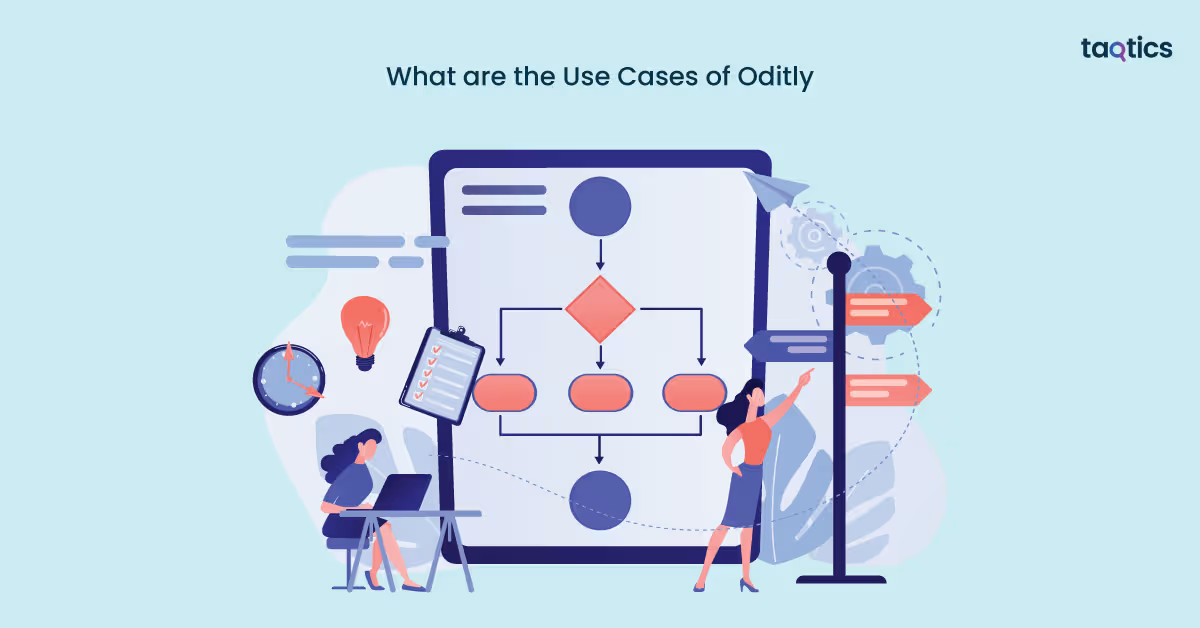
What are the Use Cases of Oditly?
Retail Operations
Retail teams often struggle with inconsistent store audits, delayed reporting from manual checklists, and limited visibility into daily execution across multiple outlets.
How Oditly helps
- Digitizes store audits and SOP checks through mobile forms
- Automates task assignment and follow-ups
- Provides real-time, multi-store dashboards
Efficiency gains
- 30–40% faster audits
- Fewer compliance gaps across stores
- Immediate visibility into execution quality
Restaurants & Food Service
Restaurants face challenges maintaining food safety and hygiene standards consistently, as manual inspections can be skipped or reported late during busy operations.
How Oditly helps
- Automates food safety and hygiene inspections
- Captures photo evidence with timestamps
- Triggers instant corrective actions
Efficiency gains
- 35–45% reduction in manual reporting time
- Improved food safety compliance
- Faster issue resolution during peak hours
Hospitality & Hotels
Hotels often experience inconsistency in housekeeping and facility checks due to manual task tracking and poor coordination between departments.
How Oditly helps
- Standardizes daily operational checklists
- Tracks task completion in real time
- Improves inter-department coordination
Efficiency gains
- Higher service consistency across properties
- Faster room readiness and inspections
- Better staff accountability
Maintenance & Preventive Repairs
Maintenance teams typically rely on reactive processes, leading to unexpected equipment failures, downtime, and incomplete maintenance records.
How Oditly helps
- Automates preventive maintenance schedules
- Tracks assets and work orders digitally
- Maintains centralized maintenance logs
Efficiency gains
- Reduced unplanned downtime
- Shorter maintenance cycles
- Lower long-term repair costs
Hazard & Incident Reporting
Safety risks often go underreported or poorly documented, increasing the likelihood of repeated incidents and compliance issues.
How Oditly helps
- Enables instant hazard reporting via mobile
- Captures photos, location, and severity
- Tracks corrective actions to closure
Efficiency gains
- Faster risk identification
- Reduced repeat incidents
- Stronger audit-ready documentation
Training & Awareness
Organizations struggle to deliver consistent training and track employee readiness when learning processes are handled manually or across disconnected systems.
How Oditly helps
- Centralizes training programs and assessments
- Tracks completion and competency
- Links training outcomes to compliance
Efficiency gains
- Improved SOP adherence
- Reduced training administration effort
- Better workforce readiness visibility
Oditly’s Integration
Built-In & Platform Integrations
- Oditly supports integration with third-party applications to push and pull data between systems for seamless information flow.
- These integrations help users connect inspection, audit, and workflow data with other software in their tech stack (e.g., HR systems, reporting tools, or analytics platforms).
- Exact lists of pre-configured, ready-made integrations (e.g., with CRM or ERP tools) may be provided as part of enterprise plans or via consultation when onboarding.
Custom Integration via API
- Oditly offers API integration capabilities that allow businesses to build custom connections between their internal systems and the Oditly platform.
- Through API access, developers can sync users, tasks, inspection results, and actions to external applications or databases for extended workflows.
- This enables bi-directional data exchange, so changes in one system (e.g., HR software or ERP) can reflect automatically in Oditly, and vice versa.
Authenticity & Security
- Third-party integrations are supported but require explicit enabling, meaning administrators control which external apps can connect and share data.
- Oditly uses secure cloud infrastructure with role-based access control to ensure that only authorized users and systems can access inspection and compliance data.
- Integration via API typically uses secure authentication methods (e.g., API keys or tokens) to safeguard data during transmission and prevent unauthorized access.
Professional Support & Integration Assistance
- 24×7 customer support is available via email, chat, and phone for troubleshooting integration issues or questions during setup.
- For enterprise customers, Oditly offers managed onboarding and dedicated account support, which often includes guidance on integrating Oditly with existing business systems.
- Professional assistance can include help with API configuration, testing, and custom integration workflows — ensuring that integrations run smoothly and align with business requirements.
Oditly’s User Interface
Getting Started
- Users can sign up using their email or organizational credentials and create an account within minutes.
- The platform allows organizations to add business details such as locations, departments, and teams during onboarding.
- Administrators can invite users and assign role-based permissions such as Admin, Manager, and Inspector.
- Teams can create or import digital checklists and forms that match their operational processes.
- Workflow rules such as task scheduling, reminders, and escalation paths can be configured easily.
- Notifications and corrective action triggers can be automated to reduce manual follow-ups.
Dashboard & Feature Exploration
- The dashboard displays real-time operational metrics such as pending tasks, compliance scores, and overdue inspections.
- Users can access interactive charts that allow filtering by location, team, and time period.
- The activity feed shows live updates on inspections, task completions, and corrective actions.
- Navigation is simple through a structured sidebar that provides access to inspections, tasks, reports, analytics, and admin settings.
- The mobile interface mirrors the web experience and supports real-time synchronization across devices.
- Users can customize dashboards to display KPIs that are most relevant to their role and function.
How Easy It Is to Adopt
The interface is designed with clear labels, simple navigation, and intuitive workflows that reduce the learning curve.
- Field teams can start using the platform immediately with minimal training due to its mobile-first design.
- Built-in templates allow organizations to begin operations without needing to build workflows from scratch.
- In-app guidance and walkthroughs help new users understand features as they explore the platform.
- Managers can configure dashboards, schedules, and workflows in a short setup time without technical support.
- Teams experience faster adoption because the system mirrors real-world operational processes.
How Secure is Oditly?
Oditly takes data protection and platform security seriously, aiming to safeguard user information and operational data on its cloud‑based digital inspections and workflow management platform. Its privacy practices and security controls are designed to prevent unauthorized access, ensure compliance with global data protection standards, and give organizations control over their own data.
Security Measures in Oditly
- Compliance‑oriented privacy framework: Oditly’s privacy policy is structured to comply with regulations such as the GDPR, giving users transparency about what data is collected and how it’s used.
- Administrative, technical, and physical safeguards: The platform implements industry standard safeguards to prevent unauthorized access, disclosure, or destruction of data entrusted to it.
- Role‑based access control: User permissions can be defined precisely, limiting access to sensitive inspection and audit data according to roles and responsibilities.
- Secure cloud storage: All platform data is stored securely in the cloud with measures in place to protect it during storage and transmission. While specific encryption details aren’t published, standard cloud security practices underpin safe data retention and retrieval.
- Data retention & deletion practices: Oditly retains personal data only as long as needed for the purposes stated, then deletes or anonymizes it to minimize exposure.
- Data Protection Officer oversight: A dedicated Data Protection Officer oversees adherence to privacy practices and helps address concerns related to personal information.
- User rights enforcement: Users in applicable regions (like EEA) have rights such as access, rectification, and deletion of their personal information.
- Secure integrations & third‑party controls: Any third‑party service integrations you enable must also uphold data protection standards — Oditly advises reviewing partners’ privacy practices.
Verdict – 8.5/10
Oditly is built with solid foundational security and privacy practices, focusing on compliance with global standards, secure data handling, and controlled access. Its privacy policy reflects a commitment to protecting data, offering users rights over their information and placing safeguards to limit unauthorized use.
Oditly Pricing Structure
Free Forever Plan
Target Audience:
- Small businesses, startups, micro‑teams, or solo operators who want to digitize inspections without cost.
- Organizations testing Oditly before upgrading to a paid tier.
Key Features:
- Access on mobile, laptop, and tablet.
- Unlimited locations can be registered.
- No limits on checklists and inspections.
- Schedule and assign inspections.
- Build action items and logic triggers without limits.
- Create custom reports with your logo and analytics.
Support Offered:
- Access to standard customer support channels (email/chat as available).
Pricing:
- $0 — Free Forever (No credit card required).
Premium Plan
Target Audience:
- Growing operations with multiple locations and users.
- Small to medium teams that need advanced reporting, analytics, and broader workflow automation.
Key Features:
- Includes all features from the Free Forever plan.
- Ability to assign training modules.
- Manage locations and users more flexibly.
- Unlimited action items and logic triggers.
- AI‑based analytics for deeper insights.
- Unlimited reports and analytics dashboards.
- Ready integrations with supported applications.
Support Offered:
- 24×7 account support, including email and chat support.
Pricing:
- $10 per user/month (with a 30‑day free trial available).
Enterprise Plan
Target Audience:
- Large organizations with 15+ locations or 50+ users.
- Enterprises needing customized solutions, deeper integrations, or white‑label deployments.
Key Features:
- Includes all Premium plan capabilities.
- Custom integrations tailored to your tech stack.
- Managed onboarding and implementation assistance.
- Dedicated account manager for personalized support.
- White‑labelling options to align the platform with your brand.
Support Offered:
- Priority enterprise support with dedicated assistance and onboarding guidance.
Pricing:
- Custom pricing determined during consultation.
Verdict – 8.8 / 10
Oditly’s pricing structure is transparent, scalable, and well‑aligned with diverse business needs, making it easy for small teams to get started and for larger enterprises to scale with confidence. The inclusion of 24×7 support and AI analytics further enhances value across plans.
How Easily You Can Implement Oditly?
Implementing Oditly — a cloud‑based platform for digital inspections, audits, and workflow automation — is designed to be straightforward and intuitive for teams of all sizes.
Step‑by‑Step Implementation
- Account Creation & Initial Setup
- Sign up for Oditly on the web platform using your email or company credentials.
- Choose your plan (Free, Pro, or Enterprise) to match your team’s needs.
- Organizational Configuration
- Define your business structure by adding locations, departments, and roles.
- Use the administration tools to map teams and set permissions for secure access.
- Import or Build Templates
- Build digital forms and checklists using the intuitive template builder or upload existing spreadsheets to convert them.
- Templates can include instructions, logic triggers, multimedia elements, and SOP references.
- Schedule & Assign Tasks
- Schedule recurring inspections or assign instant tasks to individuals or teams.
- Customize notification rules, due dates, and priorities for deadlines.
- Execute Inspections
- Teams can conduct inspections from the field using mobile apps — even offline — attaching photos, geo‑tags, and timestamps.
- Assign corrective actions instantly when issues are identified.
- Monitoring & Reporting
- Use the analytics dashboard to track task completion, compliance trends, and performance metrics in real time.
- Export reports in multiple formats (PDF, Excel, Word) with branding and digital signatures.
Is Professional Support Required?
- Not always: For small teams or simple workflows, you can implement Oditly using built‑in setup menus and self‑serve help articles.
- Helpful for larger deployments: For organizations with multiple locations, complex workflows, or deep integrations, professional onboarding support expedites setup and ensures configurations align with internal SOPs.
- Recommended for training: Teams new to digital inspection systems benefit from guided training and demos to maximize adoption.
When Professional Support Helps Most
- Configuring complex workflows involving multiple departments and approval hierarchies.
- Integrating with existing systems (e.g., HR, ERP, document repositories).
- Training large user bases and facilitating change management for frontline teams.
- Customizing reports and dashboards tailored to compliance or executive requirements.
Verdict – 8.7 / 10
Oditly is relatively easy to implement for most organizations, thanks to its user‑centric interface, predefined templates, and flexible mobile and web setup. While small teams can self‑configure quickly, medium to large enterprises will benefit from professional support to ensure complex workflows and integrations run smoothly.
Oditly Customer Support
You can reach Oditly’s customer support through several official channels:
- Email Support: Send queries to support@oditly.com for help with product issues or questions.
- Phone Support: Regional phone support is available; for example, the India contact number is +91 90999 44068.
- Contact Form: Use the Contact Us form on Oditly’s website to submit requests or request demos.
- General & Sales: You can also reach out to robert.weir@oditly.com for broader inquiries.
- Global 24×7 Support: Oditly advertises 24×7 email and chat support, with phone support typically offered from Sunday 0800 SGT to Saturday 2330 SGT.
Average TAT (Turn‑Around Time)
Oditly doesn’t publish specific service level targets, but based on their 24×7 support promise and industry benchmarks:
- Email Support: You can reasonably expect a reply within 12–24 hours on business days (typical for SaaS email support).
- Chat Support: Real‑time chat (if available) is likely to respond faster than email, often within a few hours or sooner during active support hours.
- Phone Support: Calls are picked up during scheduled support hours and may connect faster than asynchronous channels.
Note: Response times can vary based on query complexity, region, and support volume.
Verdict – 8.4 / 10
Oditly provides solid customer support options through email, phone, contact forms, and advertised 24×7 availability, which is valuable for global teams. Their support network and responsiveness are well regarded, though the company doesn’t publicly publish detailed reply time guarantees. So actual turnaround can vary with issue complexity and time zones.
What are the Advantages of Using Oditly?
The advantages of using Oditly lie in its ability to transform traditional, manual inspection and compliance processes into automated, centralized, and data‑driven workflows that improve operational efficiency, consistency, and visibility across teams and locations.
- Paperless and centralized operations eliminate manual paperwork, allowing teams to access inspection data, tasks, and reports on any device from anywhere.
- Automated workflows and task scheduling reduce repetitive manual effort, saving time and ensuring timely execution of inspections and corrective actions.
- Customizable digital checklists and smart forms let organizations tailor inspection and audit templates to their exact processes, improving data quality and relevance.
- Offline support and geo‑tagged tasks ensure that inspections can be conducted even in areas with poor connectivity and that activities occur at the right place and time.
- Real‑time reporting and analytics dashboards provide actionable insights into compliance status, performance metrics, and trends for data‑driven decision‑making.
- Improved collaboration across teams and locations helps streamline task completion, communication, and accountability through shared workflows and notifications.
- Automated corrective actions and triggers ensure issues identified during inspections are quickly addressed and tracked to closure.
- Role‑based access control and hierarchical views make it easy to manage permissions and oversight across departments and locations.
- Scalable platform for multi‑location deployments supports consistent SOP execution and compliance monitoring across teams as the business grows.
- Integrated compliance and document management helps organizations stay audit‑ready with centralized records, automated renewal triggers, and digital certifications tracking.
Oditly’s advantages center on reducing manual load, improving accuracy and compliance, increasing operational visibility, and empowering teams with analytics and automation, boosting efficiency and consistency across daily inspection and task workflows.
What are the Limitations of Using Oditly?
The limitations of using Oditly are generally few, but like any software platform, it has certain areas where users may encounter constraints depending on how they plan to use it or scale it within their organization.
- Once a template is published, you cannot add an action plan into it later, which can limit flexibility when evolving workflows after launch.
- Some users report limits on how scheduling ownership works, where only the schedule owner can change schedule details, restricting delegated editing.
- While the platform offers robust mobile and web tools, deep third‑party integrations or extensive enterprise‑grade integrations may require custom setup or API work, which can add complexity for larger organizations (custom integrations aren’t pre‑bundled).
- Certain advanced analytics or AI features (such as visual compliance scoring) may be limited to higher tiers or specific modules, meaning full access may require premium plans or enterprise engagement.
- Oditly’s public support documentation suggests that complex reporting and filter features may need some learning for new users to master quickly.
- As with many cloud tools, internet connectivity can impact real‑time sync and performance in areas with poor coverage, though offline support mitigates this to an extent.
These limitations don’t make Oditly ineffective. These, rather, highlight areas where it may require planned configuration, an understanding of how the platform structures tasks/schedules, or engagement with professional support for larger or highly customized deployments.
What Customers are Saying about Oditly?
What Users Liked
- Users find the app very easy to use and intuitive. Many reviewers highlighted that Oditly’s interface helps teams adopt it quickly with minimal training.
- Customer support is highly praised for being prompt and helpful, with responses that resolve issues and assist onboarding.
- Customers appreciate the customization options, especially for digital checklists, workflows, and reporting templates.
- Advanced reporting and analytics are seen as strong value adds, helping organizations make better operational decisions.
- The platform is credited with streamlining operations and enhancing decision‑making, particularly in audit and compliance processes.
What Users Disliked
- Some Android users report stability issues, especially crashing while uploading photos during inspections.
- A small number of users outside India have experienced registration or functionality problems when using the app from certain locations.
- There are occasional reports of the app closing unexpectedly without saving work, which can be frustrating for field inspections.
Top Oditly Alternatives
| Platform | Best For | Core Strengths | Limitations | Typical Pricing |
| Taqtics | Retail task & workforce management | • Unified platform for automated audits, SOP checklists, and task execution across locations
• Centralized dashboards for visibility and analytics• Built‑in team communication and training tools • Mobile real‑time updates and notifications |
• Newer/less mature ecosystem than enterprise legacy WFM tools | Custom/varies by deployment |
| StoreForce | Retail workforce optimization | • Strong workforce scheduling and labor planning
• Real‑time KPI dashboards connected to sales performance • Detailed task execution tracking |
• Longer onboarding for advanced analytics
• Can require training for full adoption |
Enterprise quote (custom) |
| Agendrix | Small‑to‑mid retail & scheduling | • Simple employee scheduling and attendance
• Real‑time schedule updates and shift swap support • Affordable with flexible pricing options |
• Mobile app usability could be improved
• Less robust task and audit management |
~CAD $2.95/month per user |
| QuickBooks Time | Time tracking + scheduling | • Easy clock‑in and scheduling tools
• GPS tracking and time kiosk • Integrates well with QuickBooks ecosystem |
• Not specialized for retail task management
• Some payroll/time tracking glitches reported |
~$20/user/month |
| Clockify | Basic time & task tracking | • Free or affordable time tracking
• Unlimited projects/users in core plans • Simple reporting & timesheet sync |
• Not built specifically for retail workflows
• Limited retail‑specific scheduling analytics |
~$3.99/month per user |
Is Taqtics Best Alternative to Oditly?
Yes, Taqtics is the best alternative to Oditly as it goes beyond basic inspections and audit workflows by offering a unified operations and compliance management platform tailored for retail, restaurant, and multi‑location businesses. While Oditly focuses on digital checklists, workflows, and inspection reporting, Taqtics adds deeper task execution, issue tracking, visual merchandising, attendance, asset management, and training automation — all in one system with real‑time dashboards and geo‑verified task validation.
Unique Features of Taqtics
- Comprehensive SOP & Task Automation: Taqtics lets teams create, schedule, and track digital SOP checklists with live photo and geo‑fencing evidence, increasing execution accuracy across locations.
- Real‑Time Dashboards & Insights: Managers get actionable insights into compliance, task progress, and operational KPIs via intuitive dashboards that update instantly.
- Issue Tracking & Automated Escalation: When problems arise, Taqtics auto‑assigns issue tickets, escalates urgent items, and tracks resolution status without manual follow‑up.
- Visual Merchandising & AI Support: Some deployments include AI‑assisted visual merchandising reviews to ensure displays adhere to brand standards — a level of automation beyond basic inspection tools.
- Asset & Attendance Management: Features such as QR‑based asset tracking and GPS‑verified attendance provide operational visibility often missing in inspection‑centric platforms.
- Training & Knowledge Center: Built‑in training modules, quizzes, and completion tracking help ensure teams stay informed and capable — another layer of operational oversight.
- Mobile‑First Execution: Frontline teams use iOS and Android apps to complete tasks, report issues, and receive updates — improving adoption and reducing dependency on desktops.
Verdict – 9.2 / 10
Taqtics stands out not just as an inspection alternative, but as a full operational execution platform that bridges the gap between frontline compliance and headquarters visibility. Compared with Oditly’s strong inspection and audit focus, Taqtics delivers broader task management, issue resolution, operational analytics, and training capabilities in a tightly integrated system, making it ideal for multi‑location retailers and restaurants seeking centralized execution excellence.
About the Author