Honest PulsePro Review (Data-Backed) 2026: Pros vs Cons, Features, Pricing

PulsePro review underscores how this inspection and audit management platform is helping organizations replace manual checklists and spreadsheets with powerful digital inspection workflows, real‑time analytics, and automated reporting, especially useful for multi‑site operations in retail, hospitality, manufacturing, and safety‑critical industries. PulsePro review also highlights how the platform’s intuitive mobile interface and offline support enable field teams to complete audits and compliance checks faster and with more accuracy than traditional paper‑based systems.
Customers using PulsePro report significant improvements in inspection completion rates and operational visibility thanks to features like unlimited checklists, geofencing, incident reporting, and custom analytics dashboards, all included in a simple pricing model starting at just $18 per user/month with 24×7 priority support and API access.
In this review guide, we explore PulsePro’s core features, use cases, user interface, adoption procedure, pricing structure, its alternatives, and overall verdict on each category. Here, we will see how PulsePro helps teams adopt and scale digital inspection processes efficiently in 2026.
Our Honest Verdict
Average Rating: 8.6 / 10
PulsePro ranks strongly among digital inspection and audit platforms thanks to consistent praise from users and industry reviews. According to the G2 Winter Report 2023, Pulse (PulsePro) earned a 4.7/5 average rating with over 85 % five‑star reviews and badges for High Performer, Most Implementable, Easiest Setup, and Best Estimated ROI in its category, demonstrating both effectiveness and strong user satisfaction. With a mobile‑first design and capabilities such as offline use, geofencing, incident reporting, and powerful analytics, teams find it easier to turn routine inspections into actionable insights at scale.
| Parameter | Rating (Out of 10) |
| Ease of Use | 9.0 |
| Features & Flexibility | 8.5 |
| Reporting & Analytics | 8.7 |
| Mobile & Offline Support | 9.0 |
| Integrations & API | 8.5 |
| Customer Support | 8.4 |
Summary
PulsePro is a cloud‑based inspections, audits, and compliance management platform designed to replace paper‑based processes with digital workflows that can scale across teams and locations. It delivers unlimited checklists, offline mobile execution, automated reporting, API support, and rich analytics dashboards as part of a single, feature‑complete plan. Users benefit from a highly intuitive interface that helps teams adopt the tool quickly and leverage real‑time data for operational improvement.
Key Features
PulsePro provides a robust set of capabilities that support efficient inspection and audit programs:
- Unlimited Checklists & Templates — Create and customize inspection workflows without limits.
- Mobile‑First & Offline Support — Conduct audits on iOS and Android devices even without an internet connection.
- Geo‑Fencing & Evidence Capture — Attach geo‑tags, timestamps, and photos to responses.
- Analytics & Custom Reports — Build executive‑ready dashboards and export data in multiple formats.
- Issue Tracking & Corrective Actions — Assign and monitor actions to ensure closure.
- API Integration — Connect PulsePro to other systems for unified data workflows.
- Complimentary Onboarding & Training — Free setup support helps teams get started quickly.
Pros and Cons
| Pros | Cons |
| Strong overall user satisfaction and industry recognition (e.g., G2 badges). | Single paid plan may not fit highly variable budget tiers. |
| Comprehensive feature set included in one plan (no feature gating). | Some advanced integrations may require additional setup time. |
| Excellent mobile and offline experience for field teams. | Analytics power may need a learning curve for new users. |
| Unlimited data storage and export flexibility. | No separate entry‑level tier for very small users. |
| Free onboarding and ongoing training included. | Response time estimates (e.g., 24–48 hrs) may not suit urgent enterprise support needs without an upgraded SLA. |
What is PulsePro?
PulsePro is a cloud-based inspection, audit, and compliance management platform designed to help organizations replace paper-based and spreadsheet-driven checks with structured digital workflows. It enables teams to plan, execute, and monitor inspections using mobile and web apps, with capabilities such as custom checklists, photo and geo-tagged evidence capture, offline inspections, automated reporting, issue tracking, and analytics dashboards. PulsePro is widely used across industries like retail, hospitality, manufacturing, logistics, and safety-driven operations to improve visibility, consistency, and compliance across locations. Its mobile-first approach and API support make it suitable for both field teams and enterprise environments.
PulsePro is developed by Pulse Business Solutions Inc. (USA) and emerged around 2020, at a time when businesses were increasingly seeking scalable digital alternatives to manual audits and inspections. The platform was built to handle complex, long inspection templates, bulk data collection, and multi-site operations, while still being easy to deploy and use. Over time, PulsePro has evolved by adding stronger analytics, integrations, security controls, and onboarding support, positioning itself as an enterprise-ready solution for operational excellence and compliance management in 2026.
PulsePro Company Details
- Company Type: Private
- Headquarters: Lewes, Delaware
- Year Founded: 2020
- CEO: Pankaj Guglani
- Number of Employees: 11-50
- Number of Users: 100,000+
- Company Description: PulsePro is a cloud-based inspection and audit platform that helps organizations replace manual checks with structured digital workflows. It enables teams to conduct mobile inspections, capture evidence, track issues, and generate real-time reports from a single system. By improving visibility, consistency, and accountability across locations, PulsePro helps businesses reduce compliance risks, speed up inspections, and make faster, data-driven operational decisions.
What are PulsePro’s Review Ratings from Review Sites?
| Review Site | Rating |
| G2 (Audit Management category) | 4.7 / 5 |
| Google Play Store (Pulse – Audits & Inspections) | ~4.5 / 5 (Approx) |
What are the Core Features of PulsePro?
The core features of PulsePro are unlimited digital inspections and checklists, mobile-first execution with offline support, automated reporting and analytics, action tracking and ticket management, integration with other systems, and customization options for workflows and templates.
Digital Inspections & Unlimited Checklists
PulsePro lets organizations create unlimited checklists and inspection templates with no cap on the number of schedules, photos, or stored data, removing usage limits that can slow growth. This empowers field teams to perform thorough and frequent audits without concern about extra costs or restrictions on data capture.
Mobile and offline capabilities ensure that inspections can be completed even in areas with poor connectivity, and evidence such as photos, geo-tags, and timestamps is securely stored and centrally accessible. This reduces manual entry errors and supports reliable compliance tracking across locations.
Verdict – 9/10
Automated Reporting & Analytics
PulsePro automatically turns raw inspection data into clean, share-ready reports and analytics dashboards, helping organizations visualize trends, identify recurring issues, and tailor performance metrics. This eliminates time-consuming manual report compilation and enables leadership to make data-driven decisions quickly.
Custom export formats (PDF, Excel, CSV) and integrated analytics mean teams can deliver insights directly to stakeholders, improving accountability and cross-team communication. PulsePro’s scoring and quality checks also ensure consistent interpretation of inspection results.
Verdict – 8.8/10
Action Tracking & Ticket Management
Beyond simply identifying issues, PulsePro enables assignment of corrective actions and incident tickets to specific users or teams, with follow-ups tracked to closure. This “close the loop” feature ensures accountability and helps organizations quickly resolve problems flagged during inspections.
Built-in reminders and escalation rules help teams stay on top of outstanding issues, increasing resolution rates and reducing risk exposure from repeat non-compliances or operational gaps.
Verdict – 8.7/10
Integration & Custom Workflow Options
PulsePro can connect with existing systems through API access, giving organizations flexibility to unify inspection data with their broader tech stack. This helps eliminate data silos and streamline operational workflows.
The platform also supports branded workflows and role-based access, allowing businesses to tailor the inspection experience and permissions according to their structure and compliance needs.
Verdict – 8.5/10
PulsePro’s core features combine unlimited inspections, mobile flexibility, automated reporting, action tracking, and integration support to create a powerful inspection and audit solution that scales with organizational needs.
What are the Use Cases of PulsePro?

Restaurants & Food Service
Restaurants often depend on paper checklists and spreadsheets for food safety and hygiene audits, which leads to inconsistent inspections, delayed reporting, and weak traceability across outlets.
How PulsePro helps:
- Digitizes food safety and hygiene checklists
- Captures photo, time, and geo-tagged evidence
- Automates inspection reports and dashboards
Efficiency gains:
- Faster inspection completion and reporting
- Reduced manual errors and missing records
- Improved compliance visibility across locations
Hospitality & Multi-Location Operations
Hotels and multi-property businesses struggle with inconsistent housekeeping, safety, and quality inspections across locations, impacting guest experience and brand standards.
How PulsePro helps:
- Standardizes inspection templates across properties
- Enables scheduled audits with real-time tracking
- Centralizes data into a single dashboard
Efficiency gains:
- Higher inspection completion rates
- Better accountability through task assignments
- Faster identification of performance gaps
Construction, Manufacturing & Safety
Safety and quality inspections are often fragmented, delayed, or lost due to manual reporting and poor connectivity at sites.
How PulsePro helps:
- Supports offline inspections on mobile devices
- Uploads data automatically when online
- Tracks issues with corrective actions
Efficiency gains:
- Faster hazard identification and escalation
- Reduced safety and compliance risks
- Stronger audit readiness with centralized records
Retail & Supply Chain Audits
Retail chains face challenges in maintaining consistent audit standards and visibility across stores and vendors.
How PulsePro helps:
- Applies uniform audit workflows across outlets
- Enables bulk uploads for locations and templates
- Provides comparative performance analytics
Efficiency gains:
- Quicker rollout of audits at scale
- Better cross-store performance comparison
- Faster corrective action closure
Healthcare & Facility Management
Healthcare facilities must conduct frequent inspections, but manual processes often result in missed checks and documentation delays.
How PulsePro helps:
- Uses role-based inspection templates
- Captures audit evidence digitally
- Generates instant, exportable reports
Efficiency gains:
- Improved inspection compliance rates
- Reduced audit preparation time
- Better coordination between teams
PulsePro’s Integration
Built-In Integrations
- PulsePro supports seamless connections with popular business tools so inspection data isn’t siloed. You can integrate with business intelligence (BI) tools like Tableau to enhance analytics and reporting.
- You can link PulsePro with Google Docs or Google Sheets to automatically store, share, and analyze inspection data.
- Single Sign-On (SSO) integrations such as Google, Azure AD, and Okta allow users to log in securely using their existing corporate credentials.
- PulsePro’s ecosystem supports connections to Power BI, webhooks, and SFTP workflows — making it easier to include inspection data in enterprise dashboards and automated processes.
Custom Integration via API
- PulsePro provides open API access, allowing developers to programmatically fetch and push inspection data to other systems such as ERPs, analytics platforms, or custom dashboards.
- You can generate an API key from the PulsePro dashboard and use it to authenticate and interact with PulsePro endpoints. This enables full data movement between PulsePro and third-party applications.
- API integrations allow for automated workflows, such as triggering actions in external systems based on inspection outcomes, or syncing inspection results with broader enterprise data pipelines.
Authenticity & Security
- All integrations are built on a security-first platform hosted in isolated AWS environments with AES-256 encryption at rest and SSL/TLS in transit to safeguard data.
- Multi-tenant data isolation and granular access controls ensure that integrated applications cannot access unauthorized data.
- Network firewall policies and logged monitoring make sure external connections via APIs or integrations are secure and auditable.
Professional Support for Integration
- PulsePro’s support team can help configure integrations and guide API setup to match your workflow needs. This includes assistance with data mapping, authentication setup, and troubleshooting integration errors.
- Dedicated onboarding support is available, especially for larger customers or enterprise deployments, to ensure smooth integration with existing systems.
- PulsePro also offers training sessions and demos to help technical and non-technical users leverage integrations effectively and understand data flows.
PulsePro’s integration capabilities ensure safe and seamless data exchange. Professional support helps users implement integrations effectively and tailor solutions to their operational ecosystem.
PulsePro’s User Interface
Getting Started
- Account Creation: Users can sign up quickly using a business email and access PulsePro via web or mobile with minimal configuration.
- Organization & Roles: Admins can add locations, define user roles, and control permissions from a single settings area.
- Template Configuration: Inspection checklists and schedules can be created or uploaded easily, enabling teams to start inspections almost immediately.
Dashboard
- Real-Time Overview: The dashboard displays inspection status, completion rates, and key trends in a clear, visual format.
- Filtering & Insights: Users can filter data by location, date, or inspection type to quickly identify gaps or patterns.
- Action Tracking: Open, overdue, and completed corrective actions are visible at a glance, improving accountability.
Feature Exploration
- Inspection Management: Users can create, assign, and complete inspections with photo, time, and geo-tagged evidence.
- Reporting & Analytics: Auto-generated reports and export options make sharing insights with stakeholders simple.
- Mobile Functionality: The mobile app supports offline inspections and seamless syncing once connectivity is restored.
Ease of Adoption
- User-Friendly Design: The interface is intuitive, allowing even non-technical users to navigate and perform tasks easily.
- Consistent Experience: Web and mobile interfaces are aligned, reducing confusion and training effort.
- Onboarding Support: Free training and guided onboarding help teams adopt the platform quickly.
Image Support
- Evidence Capture: Users can attach images directly within inspections to validate findings.
- Visual Clarity: Images appear clearly in reports and dashboards, improving understanding of issues.
- Improved Accountability: Visual proof helps teams resolve issues faster and with greater confidence.
How Secure is PulsePro?
Security is a top priority for PulsePro, and the platform is built with enterprise-grade protections to ensure that inspection, audit, and compliance data remains safe, private, and accessible only to authorized users. PulsePro’s approach combines infrastructure security, application isolation, encryption, access controls, logging, and proactive vulnerability management to safeguard customer information and support trusted operations across large organizations.
Security Measures
- Defense-first infrastructure: PulsePro uses a single-use system design that isolates each application environment to limit potential attack surfaces.
- Trusted cloud hosting: All systems are hosted in Amazon Web Services (AWS) secure data centers, with infrastructure accredited under standards such as ISO/IEC 27001.
- Encryption: Customer data is encrypted at rest using AES-256 and communication between servers and clients is protected with industry-standard SSL/TLS encryption in transit.
- Network protection: PulsePro servers run within a private virtual network with strict firewall rules and a “default deny” policy to restrict unauthorized communications.
- Access controls: Role-based access and two-factor authentication (2FA) are supported to strengthen login security and limit permissions to what users truly need.
- Logging and monitoring: All system events are logged in a write-only centralized system to prevent tampering and support compliance audits.
- Data segregation: Customer data is logically separated in a multi-tenant architecture with strict access enforcement at the application level.
- Vulnerability management: PulsePro conducts penetration testing and vulnerability scanning, patches systems promptly, and deploys updates with security hardening.
- Privacy commitment: The platform adheres to privacy best practices, handling personal data responsibly and providing users control over their information.
Verdict – 9.2 / 10
PulsePro demonstrates a robust, enterprise-ready security posture with comprehensive infrastructure protections, encryption, and access controls designed to protect sensitive inspection and compliance data. While no system can be completely invulnerable, PulsePro’s layered security framework and privacy practices make it very secure for organizations of all sizes, including those with stringent compliance requirements.
PulsePro Pricing Structure
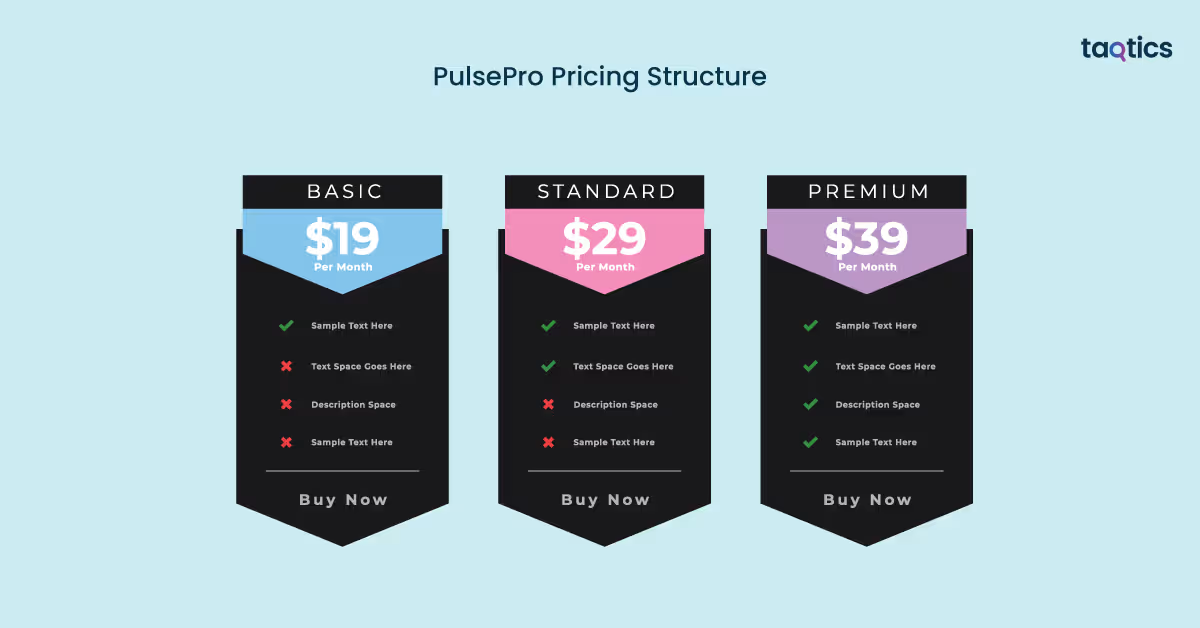
PulsePro’s pricing is straightforward and value-packed, offering a single core plan that includes all features and scales with your team, with a free trial to get started.
Pulse Pro Plan
Target Audience:
- Enterprises and growing businesses that require a robust inspection, audit, and compliance platform.
- Organizations of any size, including teams with many users, thanks to unlimited user support.
Key Features:
- Unlimited inspections and checklists with no hidden caps.
- Offline functionality and geo-fencing for field usage.
- Incident reporting and tickets for non-compliances.
- API access for integrations with other business systems.
- Missed inspection alerts and business analytics dashboards.
- Custom report formats and unlimited image uploads.
- Unlimited data storage included.
Support Offered:
- 1:1 setup assistance with the Pulse team.
- 24/7/365 priority support for fast help and troubleshooting.
- Complimentary onboarding and training resources.
Pricing:
- $18 per user/month when billed yearly.
- Includes a 14-day free trial with full access and no credit card required.
- No minimum user requirements — you can start with 1 user and scale up.
Verdict – 9.0 / 10
PulsePro’s pricing strategy is simple, transparent, and generous, offering all core features in one tier rather than fragmenting capabilities across multiple confusing plans. The inclusion of offline support, unlimited inspections, API access, custom reporting, and priority support at a competitive per-user monthly rate makes it particularly attractive for growing operations and enterprises alike. The 14-day free trial further reduces risk by letting you test the full platform before committing.
How Easily You Can Implement PulsePro?
PulsePro is easy to implement because it’s designed as a plug-and-play, cloud-based platform with a clean interface, ready-to-use templates, and guided onboarding. Most teams can go live quickly without heavy IT involvement, while still having the option to scale with integrations and advanced workflows as operations grow.
Step-by-Step Implementation
- Account Setup: Create your PulsePro account, verify your email, and log in via web or mobile to access the admin dashboard.
- Configure Organization & Users: Add your company details, locations, and invite users while assigning roles and permissions.
- Create Inspection Templates: Build or customize digital checklists using predefined fields, scoring, and evidence requirements.
- Schedule Inspections: Set recurring or one-time inspections and assign them to teams or locations.
- Execute Inspections (Mobile/Web): Field teams complete inspections using the mobile app, even offline, capturing photos, timestamps, and geo-tags.
- Track Actions & Reports: Review dashboards, assign corrective actions, and export automated reports for stakeholders.
Is Professional Support Required?
Professional support is not mandatory for basic implementation, as most teams can set up PulsePro independently using built-in guidance and intuitive workflows.
When Professional Support Helps
- Large enterprises with multiple locations and complex hierarchies
- Custom integrations using APIs
- Advanced analytics, reporting, or workflow automation needs
- Faster rollout across large field teams
Verdict – 9.1 / 10
PulsePro stands out for its fast, low-friction implementation and minimal technical dependency. With optional professional support for advanced needs, it balances simplicity for small teams and scalability for enterprises, making it easy to adopt and grow with confidence.
PulsePro Customer Support
How to Contact PulsePro Support:
PulsePro provides direct support channels for users and prospects looking for help with the platform, onboarding, or technical queries:
- Email Support: You can email the support team at support@pulsepro.ai for general assistance, onboarding, integrations, or troubleshooting.
- Contact Form / Support Page: Users can access articles, FAQs, and submit questions via the PulsePro support portal and knowledge base.
- Office Contact: Pulse Business Solutions Inc. is based in Lewes, Delaware, USA, with support accessible through email during business hours.
Average Turn‑Around Time (TAT) for Replies:
- PulsePro support typically responds to support queries within 24–48 hours on business days.
- Support is available through email and sometimes scheduled web calls or demos depending on the issue’s nature and complexity.
- While not officially advertised as 24×7, they work during regular business hours and aim to address questions promptly.
Verdict: 8.5 / 10
PulsePro’s support structure offers a good balance of responsiveness and usefulness, making it suitable for most teams and deployments. The ability to escalate with demos, onboarding help, and troubleshooting assistance earns it a strong overall customer support score.
What are the Advantages of Using PulsePro?
The advantages of using PulsePro are numerous, making it a preferred choice for organizations seeking efficient inspection, audit, and compliance management:
- Digital Inspections: Replaces paper-based workflows with structured digital checklists, reducing errors and improving data accuracy.
- Mobile & Offline Functionality: Enables field teams to perform inspections anywhere, even without internet connectivity.
- Automated Reporting: Generates instant reports and analytics dashboards, saving time and improving decision-making.
- Action Tracking: Assigns corrective actions and tracks closure, ensuring accountability and faster issue resolution.
- Customizable Workflows: Allows tailored templates and role-based access for different teams and locations.
- Integration Capabilities: Connects with existing systems via API or built-in integrations for seamless data flow.
- Enhanced Compliance & Audit Readiness: Maintains a clear, secure record of inspections for regulatory and internal audits.
- Scalability: Supports organizations of any size, from single-site operations to large enterprises with multiple locations.
- Security & Privacy: Enterprise-grade encryption, access controls, and logging ensure data safety and confidentiality.
These advantages collectively help organizations streamline operations, improve compliance, and gain actionable insights from inspections and audits.
What are the Limitations of Using PulsePro?
The limitations of using PulsePro are few but worth considering for potential users.
- Cost for Small Teams: While feature-rich, the subscription may be expensive for very small businesses or teams with limited budgets.
- Learning Curve for Advanced Features: Basic usage is simple, but advanced analytics, API integrations, and workflow customizations may require some initial learning or guidance.
- Limited 24/7 Support: Support is responsive during business hours, but round-the-clock assistance is not guaranteed.
- Dependent on Internet for Full Functionality: While offline mode works for inspections, some features like dashboard analytics and integrations require internet connectivity.
- Occasional Feature Overlap: Organizations with existing compliance or reporting tools may find some features redundant or overlapping with current systems.
While PulsePro is powerful and scalable, small teams or those seeking 24/7 immediate support may need to plan carefully before implementation.
What Customers are Saying about PulsePro?
What Users Liked
- Easy to Use: Many users appreciate PulsePro’s intuitive interface that makes digital inspections simple and quick.
- Mobile & Offline Support: Field teams frequently praise the mobile app and offline mode for reliable data capture anywhere.
- Strong Reporting & Dashboards: Users like how PulsePro automatically generates detailed reports and analytics without manual effort.
- Customizable Checklists: Customers value the flexibility to tailor inspection templates to their specific workflows.
- Fast Onboarding Assist: Several teams highlight helpful support and onboarding guidance that speeds up implementation.
- Action Tracking Visibility: Users report that assigning and following up on corrective actions improves accountability.
What Users Disliked
- Price for Small Teams: Some small businesses feel the cost is high relative to basic inspection needs.
- Support Hours Limited: A few users note that responses outside standard business hours can take longer.
- Advanced Setup Complexity: Some users mention a short learning curve for advanced analytics or API setup.
- Internet Dependence for Full Features: Customers point out that certain dashboard and integration features require internet connectivity.
Top PulsePro Alternatives
| Platform | Best For | Core Strengths | Limitations |
| Taqtics (Best Overall) | Multi‑location retail, restaurant, hospitality, and field ops | • AI‑powered audits, task execution, and SOP checklists tailored to retail/ops workflows
• Real‑time dashboards and geo‑fencing for frontline execution • Automated issue ticketing, training, asset & attendance tracking • Visual merchandising and customizable analytics |
• More specialized (retail/ops focus) vs general audit tools (broader inspection use) |
| SafetyCulture (iAuditor) | Broad safety & quality inspections across industries | • Mature, global inspection platform with extensive template library
• Strong mobile support and offline mode • Widely adopted in construction, manufacturing, retail, hospitality |
• Horizontal tool (not industry‑specific), may lack advanced retail ops features; more generic workflows |
| Pro‑Inspector | Enterprise‑level inspections & audits | • Heavy‑duty inspection scheduling and regulatory compliance support
• ERP integration and real‑time capturing • Offline access and remote approvals |
• Smaller user base and fewer modern collaboration features; fewer retail‑centric dashboards |
| Lumiform | SMB inspection & checklist automation | • Easy checklist creation and offline support
• Notifications for pending/overdue tasks • Works across devices |
• Lacks deep analytics and advanced operational or enterprise workflows compared to larger platforms |
| GoAudits | Cost‑effective, scalable inspections | • Competitive pricing and scalable model
• Free trials and free checklist digitization • Fast onboarding and responsive support |
• More focused on inspection digitization than detailed operational execution and task management |
Is Taqtics Best Alternative to PulsePro?
Yes, Taqtics is the best alternative to PulsePro as it goes beyond basic inspections and audits to offer a full operational execution platform that unifies task automation, compliance, issue tracking, training, and asset management, giving organizations real‑time visibility and control across dispersed teams and locations.
Unique Features of Taqtics
- Comprehensive task and checklist management with GPS/geo‑fencing and photo‑verified task completion to ensure frontline teams execute SOPs accurately.
- Real‑time dashboards and actionable insights that help leadership monitor compliance, performance trends, and operational KPIs without delays.
- Automated issue tracking and escalation workflows ensure problems are automatically assigned and followed through to resolution.
- AI‑powered visual merchandising and audit tools that streamline compliance with brand standards and reduce manual review time.
- Asset tracking and lifecycle management that prevent downtime and extend equipment life via QR tagging and alerts.
- Training and knowledge center for delivering SOP training, quizzes, and resource sharing across teams.
Verdict: 9.3 / 10
Taqtics provides a more holistic operational execution platform than PulsePro by integrating inspection, task automation, issue management, and training in one tool, making it especially valuable for multi‑location retail, restaurant, and field‑centric businesses. Its real‑time visibility and broader workflow capabilities make it a compelling choice for teams that need both compliance and operational control in a single system.
About the Author