
Retail Stock Audit Software for Multi-Location Retail Teams
Run structured stock audits, verify shelf availability, stockroom discipline, goods movement, inventory accuracy, and corrective actions across every retail location.
What is Retail Stock Audit Software?
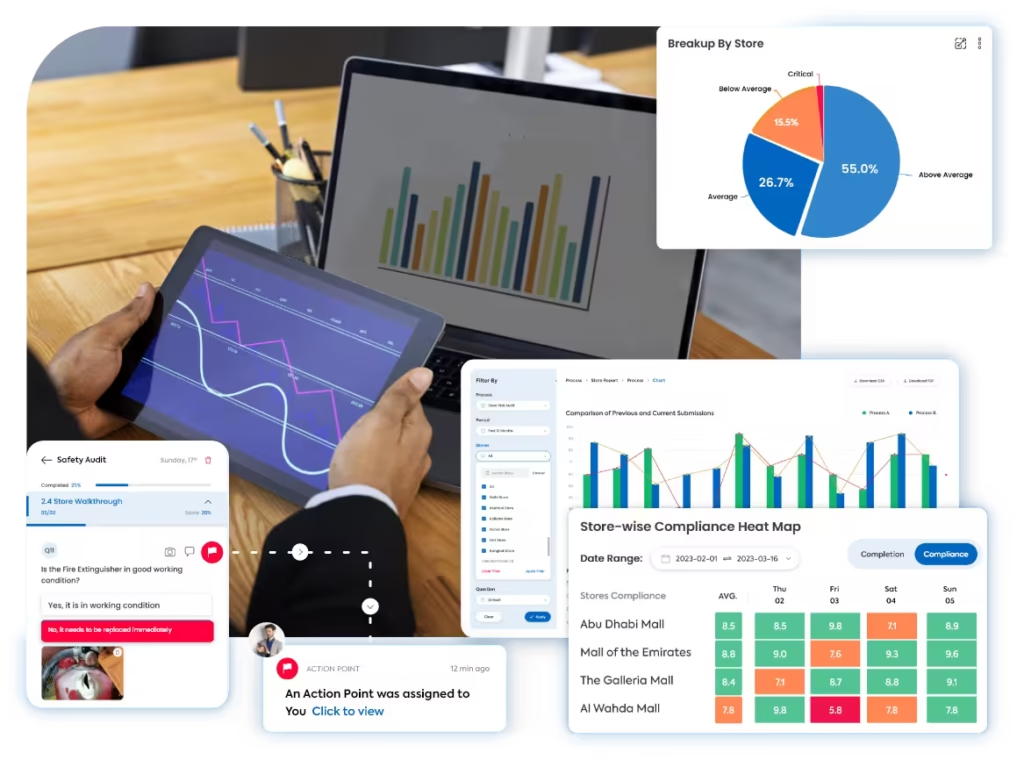
Retail stock audit software helps operations, inventory, and store teams check whether stock records, shelf availability, stockroom discipline, receiving, transfers, and replenishment processes are being followed correctly across locations.
With Taqtics, teams can replace paper stock checks, Excel trackers, WhatsApp photo updates, and manual follow-ups with mobile audit execution, photo evidence, automated scoring, reports, and corrective actions for stock-related gaps.
Why manual retail stock audits create gaps
Stock audits become unreliable when teams cannot verify shelf gaps, stockroom conditions, goods movement, or whether corrective actions were actually completed after the audit.
What a Retail Stock Audit Should Cover
A retail stock audit should check whether stores are managing shelf availability, stockroom discipline, inventory movement, goods receiving, and replenishment according to approved standards.
How Taqtics Digitizes Retail Stock Audits
Taqtics helps retail teams turn stock audit routines into structured mobile checks that can be assigned, completed, verified, scored, reported, and followed up across every store.
Make Every Stock Audit Observation Easier to Trust
Stock audit findings become more useful when HQ can verify where the observation was made, when it was submitted, what evidence was attached, and how the score was calculated.
12:22 PM · Store 214
Location verified · Shelf photo added
Validated observations
Taqtics helps teams validate stock audit observations with geo-fencing, time-bound submissions, live photo capture, comments, timestamps, and location-level audit trails.
- Geo-fenced audit submissions
- Time-bound audit windows
- Live shelf and stockroom photo capture
- Comments and evidence fields
- Timestamped responses
- Location-level audit trail
Standardized scoring across stores and auditors
Every stock audit question can include clear instructions, objective answer options, proof requirements, scoring rules, and conditional logic so every location is evaluated using the same stock audit standard.
- Question-level instructions
- Objective answer types
- Required photo proof
- Partial, zero, and negative scoring
- Conditional logic
- Automated score calculation
Turn stock gaps into corrective actions
When a stock audit check fails, Taqtics can automatically create corrective actions with owners, priorities, due dates, escalation rules, status tracking, and closure proof.
This connects audits directly with corrective action tracking software, so stock gaps and inventory issues are fixed instead of remaining as observations.
- Owners and accountability
- Priority-based deadlines
- Escalations for overdue actions
- Closure proof and status tracking
Retail Stock Audit Reports That Show Inventory Gaps
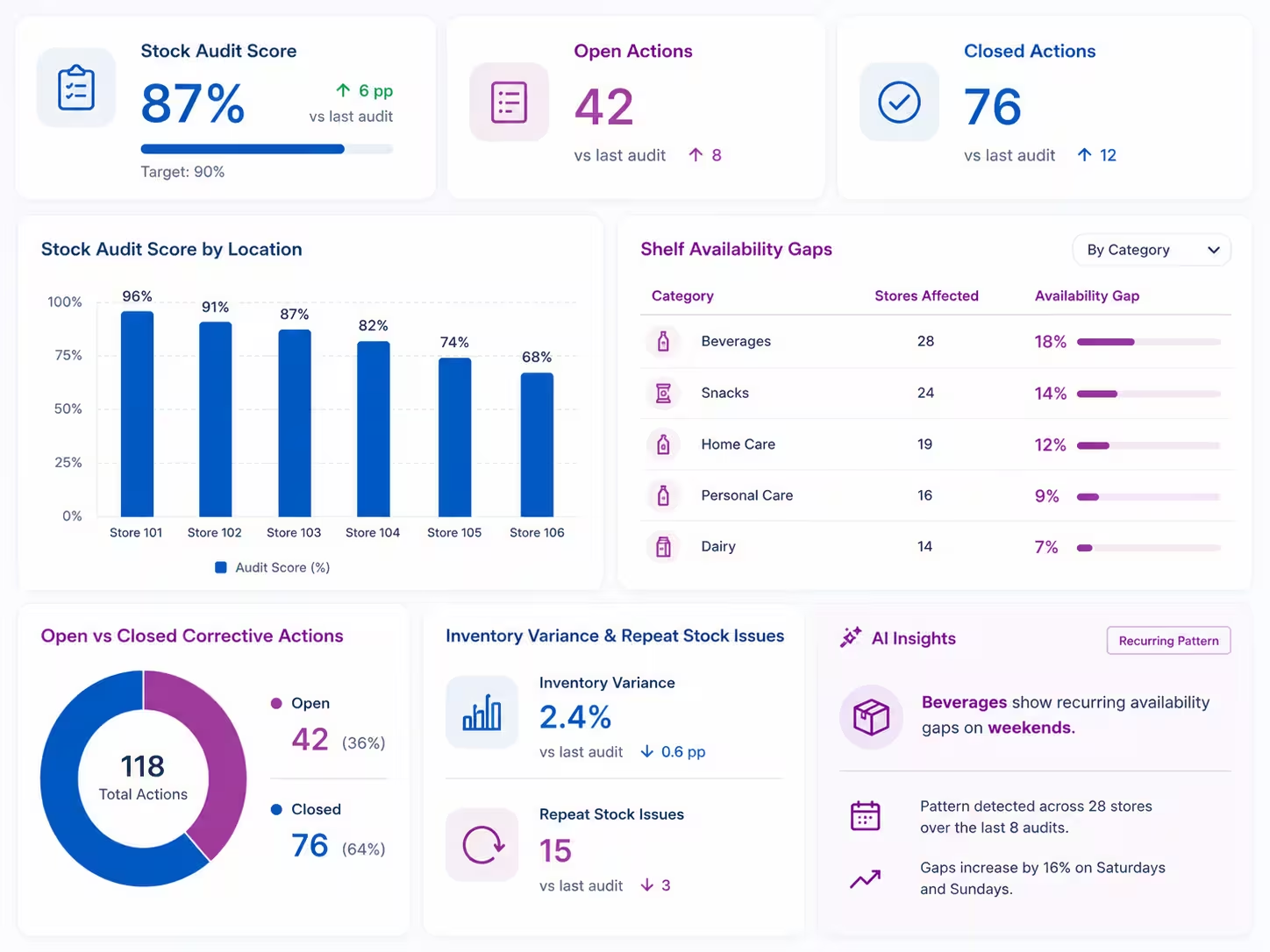
Taqtics turns stock audit data into reports and dashboards that help HQ identify stores with recurring stock gaps, weak stockroom discipline, inventory variances, delayed actions, and region-wise stock audit trends.
- Stock audit score by location
- Shelf availability gaps by store or category
- Stockroom readiness and organization trends
- Inventory variance and repeat stock issues
- Goods receiving and transfer process gaps
- Open vs closed corrective actions
- AI-based recurring pattern detection from historical audit data
Start With a Retail Stock Audit Checklist
Use a retail stock audit checklist to define shelf availability checks, stockroom standards, inventory movement questions, proof requirements, scoring logic, and corrective action triggers that can be digitized inside Taqtics.
See How Retail Teams Use Taqtics to Improve Store Visibility
Explore how multi-location retail, sportswear, luxury, and supermarket teams use Taqtics to digitize audits, SOP checks, inventory reviews, corrective actions, and store operations visibility.


Global Supermarket Chains
How supermarket teams digitized supervisor checklists, store audits, L1/L2 reviews, corrective actions, inventory checks, and leadership dashboards.


Global Sportswear Retail Brands
How Nike and Under Armour stores operated by GMG standardized audits, SOP routines, VM execution, issue resolution, and asset tracking.

Solitario Lab Grown Diamonds
How Solitario used Taqtics to improve audit coverage, standardize SOP checks, track issues, and scale compliance across 50+ stores.
Retail Stock Audit Software Questions
What is retail stock audit software?
Retail stock audit software helps teams inspect shelf availability, stockroom standards, inventory accuracy, receiving, transfers, and replenishment processes across stores using structured digital audits.
How does Taqtics verify stock audit observations?
Taqtics supports geo-fencing, time-bound submissions, live photo capture, comments, timestamps, and location-level audit trails to make stock audit findings easier to verify.
Can stock audits be completed on mobile?
Yes. Auditors can complete retail stock audits on mobile, capture shelf or stockroom proof, add comments, and submit structured responses from the store.
Can non-compliances create corrective actions automatically?
Yes. Failed stock audit checks can automatically create corrective actions with owners, deadlines, priorities, escalations, and closure proof.
Can Taqtics generate retail stock audit reports?
Yes. Reports can include stock audit scores, shelf availability gaps, stockroom issues, inventory variances, photo evidence, corrective actions, and recurring issue patterns.
Can Taqtics be used for stockroom and inventory audits?
Yes. Taqtics can be configured for stockroom audits, inventory accuracy audits, cycle count checks, goods receiving checks, stock transfers, and damaged stock reviews.
Make Every Retail Stock Audit Reliable and Actionable
Digitize retail stock audits, validate shelf and stockroom observations, generate reports instantly, and close corrective actions faster across every store.